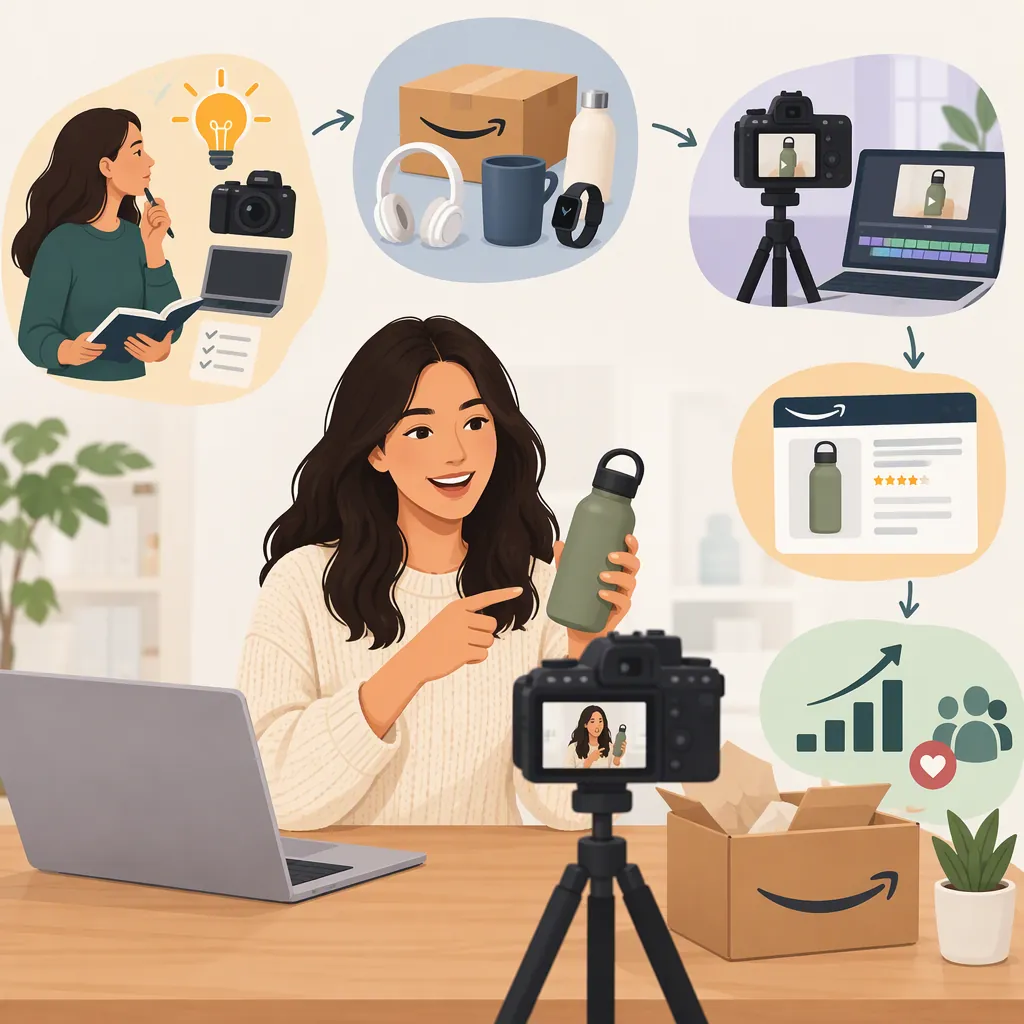
How to Become an Amazon Content Creator
To start as an Amazon content creator, choose the program that fits your goals, verify its current participation requirements, and practice useful product-focused content before committing significant time or money. Amazon describes its Influencer Program as an extension of Associates for qualifying social media influencers, with an Amazon page for recommended products. [citation-3] Its storefront guide explains how creators with access can publish lists, photos, collages, and videos. [citation-2]
Becoming a creator involves separate steps: developing content skills, obtaining any required program access, and evaluating whether the work is financially sustainable. The cited Amazon pages do not establish a universal follower threshold, guaranteed acceptance, or expected income. [citation-1] [citation-3]
Understand Associates and the Influencer Program
“Amazon content creator” describes the work; it is not a single application route with one set of requirements.
Amazon describes the Influencer Program as an extension of its online Associates program for qualifying social media influencers. It offers similar benefits, including reporting and account management, plus a page on Amazon for showcasing recommended products. [citation-3]
Amazon’s program overview also describes a customizable presence and a vanity URL that creators can share with followers. It explains that purchases can generate compensation in a manner similar to Associates. This describes an earning mechanism, not an income forecast. [citation-1]
Use your intended activity to guide your research:
- If you want an Amazon page for recommendations: Review the Influencer Program’s current requirements.
- If you are exploring affiliate recommendations without that storefront goal: Review the current Associates requirements rather than assuming the Influencer route is necessary.
- If you are still learning content creation: Practice research, scripting, photography, and demonstrations before pursuing program access.
These are planning distinctions, not determinations of eligibility. The cited program descriptions do not provide a complete application procedure or acceptance criteria. [citation-1] [citation-3]
Prepare Before Applying
Separate work you can do independently from steps that require Amazon account permissions.
| Stage | Practical action | Boundary |
|---|---|---|
| Content practice | Choose an audience, draft a content brief, and create a sample using evidence you can substantiate. | Practice does not establish program membership. |
| Program selection | Compare your goals with Amazon’s descriptions of Associates and the Influencer Program. | Do not assume both routes have identical requirements. |
| Eligibility review | Check current participation conditions, accepted account or channel types, and any account information requested. | These are items to verify, not confirmed requirements in this article. |
| Application | Locate the current application route through Amazon’s official program navigation. | The cited pages are starting points, not a complete application tutorial. |
| After access is granted | Confirm which storefront and publishing tools are available in your account. | Use only features and permissions actually available to you. |
The Amazon Influencer Program overview includes official sign-in and sign-up navigation. Use that navigation to locate current participation information, then confirm that you are following the route for your intended program. This article does not establish what happens at each application step or how Amazon evaluates an application. [citation-1]
Before submitting an application, make a short verification record:
- Which program am I considering, and why?
- Where does Amazon currently state its eligibility conditions?
- What account, channel, or other information does the current application request?
- Which terms and policies apply?
- What remains unclear and needs confirmation?
You can continue creating practice drafts while resolving these questions. Do not describe yourself as an accepted participant unless that is true, and do not treat storefront publishing instructions as evidence that you already have access.
Choose a Useful Content Focus
Start with one audience and one recurring shopping question rather than unrelated product recommendations. Possible editorial themes include small-space organization or beginner craft supplies. These are planning examples, not claims about profitable categories.
For each piece, identify what the viewer should understand afterward: dimensions, setup, a demonstrated feature, or a limitation. Separate personal observations from information taken from a product listing. Do not imply hands-on experience with an item you have not used.
Amazon’s storefront guide recommends unique, informative videos and clear product demonstrations. Treat that as a content-quality direction, not a promise of traffic or earnings. [citation-2]
Starter Content Brief
- Audience: Who is this for?
- Shopping question: What decision does it help with?
- Featured product: What is the exact item and variant?
- Format: Would a list, photo, collage, or video communicate the information best?
- Evidence: What comes from direct observation, and what comes from identified product information?
- Demonstration: What can be shown accurately?
- Limitation: What remains untested or uncertain?
For example, a storage-container demonstration could show its measured dimensions and how it fits in a particular cabinet. That would not support a claim that it fits every cabinet or remains durable after years of use.
Match the Format to the Content
Amazon’s Creating content for your Storefront guide documents several formats for creators with relevant access. [citation-2]
| Format | Documented use |
|---|---|
| Idea Lists | Organize products around a theme, add a caption, arrange items, and publish, save a draft, or schedule. |
| Shoppable photos | Upload a photo, tag featured products, review suggested tag placements, and add a caption. |
| Collages | Combine products with a template or background and arrange visual elements. |
| Media Lists | Group entertainment recommendations, including books, movies, TV shows, podcasts, and music. |
| Shoppable videos | Explain or demonstrate featured products through recorded content. |
These formats and workflows are described in Amazon’s storefront guide; check the current tools available in your account before planning around them. [citation-2]
As an editorial choice, a list may suit a themed collection, while a video may suit a question that requires a visible demonstration. Start with the format that communicates clearly rather than creating every format for every recommendation.
Prepare a First Storefront Video
For creators with relevant storefront access, Amazon’s documented workflow begins with Create Content from the storefront or Manage Content page, followed by the photo/video post option. The guide specifies high-resolution MP4 or MOV files under 5 GB and authentic, original content at least 30 seconds long. [citation-2]
It also instructs creators to tag products shown in the video, with up to 10 products or subscriptions per video. Only featured products should be selected; tagging an unfeatured product may lead to rejection during moderation. [citation-2]
Technical and Editorial Review
Before uploading, check that:
- The file meets the guide’s format, size, resolution, and minimum-length specifications.
- The footage is authentic and original.
- Narration matches what the footage demonstrates.
- Product identifiers and variants match the items shown.
- Every tagged product is featured, and tags do not exceed the documented limit.
- Untested aspects are left unclaimed or clearly identified.
The technical specifications and tagging limits above come from Amazon’s storefront guide. Check current requirements before uploading. [citation-2] Review the finished file—not just the script—because editing can change what a statement appears to demonstrate.
Check Policies and Disclosures Before Publishing
Keep policy review separate from the technical checklist. A correctly formatted video is not, by itself, a complete compliance review.
Before participating or sharing compensated recommendations, identify and review:
- Amazon program requirements: The applicable operating agreement, program policies, and rules about identifying your participation or compensated relationship.
- Amazon content requirements: Policies governing the content and publishing feature you intend to use.
- External platform requirements: Rules for commercial or affiliate content on any social platform where you publish or share recommendations.
- Applicable U.S. disclosure guidance: Relevant Federal Trade Commission guidance on endorsements and material connections.
Record where you checked each requirement and any unresolved question. Amazon’s cited help and storefront pages provide navigation to program agreements, policies, and related disclosure topics, but the cited excerpts do not establish complete disclosure wording or placement requirements. [citation-1] [citation-2] [citation-3]
This is a list of matters to verify, not a complete compliance checklist or a substitute for current rules.
Separate Publishing from Earnings
Publishing content, receiving placement, and earning commissions are different outcomes.
Amazon’s storefront guide describes shoppable videos as a possible commission source when shoppers watch and then purchase featured products. It also says eligible, approved videos may appear in onsite placements, including relevant product pages. Uploading or obtaining approval does not guarantee those placements. [citation-2]
The cited program overview and storefront guide do not establish dependable monthly income, a timeline to profitability, or complete commission-eligibility conditions. Avoid building a career budget around an assumed return per video. [citation-1] [citation-2]
Simple Production and Earnings Log
| Content | Format | Hours spent | Actual cost | Publication status | Reported earnings | Accuracy or workflow note |
|---|---|---|---|---|---|---|
| [Title] | [Format] | [Hours] | [Amount] | [Draft/published/other] | [Amount and reporting period, or unavailable] | [Correction or improvement] |
Record unavailable earnings as unavailable, rather than treating missing information as confirmed income or zero income. Keep production costs separate from reported earnings so the time and money involved remain visible.
Run a Small Test and Review the Results
Treat the first stage as a limited production test, not proof of a career outcome.
- Set personal limits. Choose a workload and spending cap that fit your circumstances. Do not buy products solely to fill a publishing calendar without considering the cost.
- Create and review. Use a brief, make the content, verify its accuracy, and complete the relevant policy checks.
- Record the result. Track production time, actual expenses, publication status, corrections, and any account-reported earnings.
- Choose the next adjustment. Use the records to decide what to continue, simplify, change, or pause.
| What your review shows | Possible personal decision |
|---|---|
| Production takes more time than you can sustain | Simplify the format, reduce output, or narrow the topic. |
| Repeated accuracy problems | Improve research and review before publishing more. |
| Spending exceeds your planned limit | Pause additional purchases and reassess the test. |
| Earnings are unavailable or too limited to assess | Avoid income projections and continue only within your chosen limits. |
| The workflow fits your resources | Consider another limited test without assuming future returns. |
These are personal planning criteria, not Amazon eligibility conditions or performance benchmarks.
Maintain scripts, footage, product identifiers, and revision notes so you can correct mistakes and compare production effort. If you later explore client content work, evaluate that separately from Amazon program participation. The cited Amazon pages do not establish client opportunities or service rates. [citation-1] [citation-2] [citation-3]
FAQ
How Many Followers Do I Need to Become an Amazon Content Creator?
Amazon’s cited program description refers to “qualifying social media influencers” but does not state a minimum follower count or complete acceptance criteria. It does not support a universal numerical threshold. Check the current requirements for your intended program. [citation-3]
Can I Start Creating Content Before Amazon Approves Me?
You can practice research, scripting, photography, and product demonstrations independently. That practice does not establish Amazon program membership. Amazon’s storefront guide describes publishing through storefront tools, so confirm your actual access before following those workflows. [citation-2]
Where Do I Apply?
The cited Amazon Influencer Program overview includes official sign-in and sign-up navigation. Use Amazon’s current program navigation to locate the relevant application route and requirements. The overview does not provide a complete step-by-step application tutorial or acceptance criteria. [citation-1]
Do I Have to Start with Videos?
No. Amazon’s storefront guide also documents Idea Lists, shoppable photos, collages, and Media Lists. For creators with access, choose the format according to the information you need to communicate. [citation-2]
Will My Videos Automatically Appear on Product Pages?
No automatic placement is established by the cited guide. Amazon says eligible, approved videos have an opportunity to appear in onsite placements, including relevant product pages. Uploading a video is not a placement guarantee. [citation-2]
Can Amazon Content Creation Become a Full-Time Career?
The cited Amazon pages describe compensation opportunities, but they do not establish typical earnings or whether those earnings can support full-time work. Base a career decision on actual income, expenses, time commitment, and tolerance for uncertainty—not an assumed payout from publishing. [citation-1] [citation-2]
Sources
-
[citation-1] Amazon.com Associates Central - Help
-
[citation-2] Amazon.com: : All Departments
-
[citation-3] Amazon.com Associates Central - Help