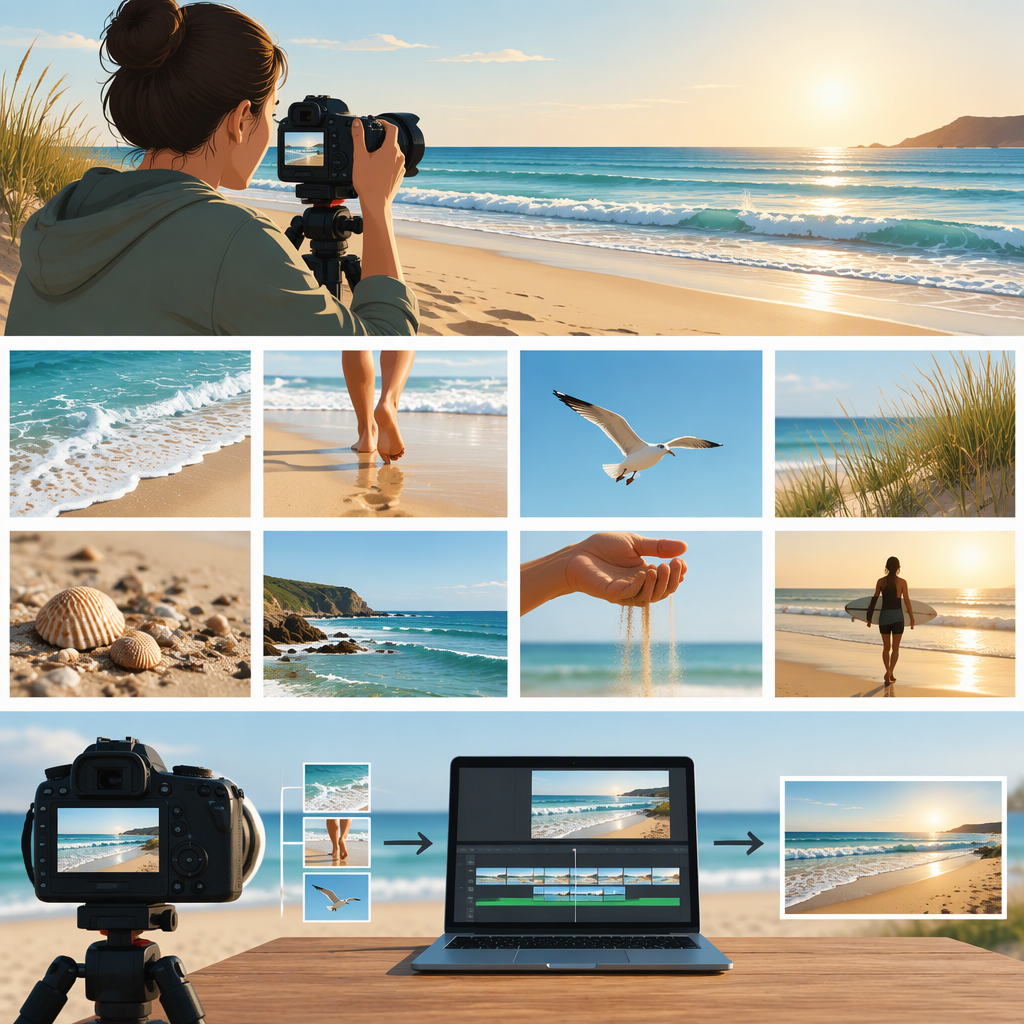
Beach B-Roll: What to Shoot and How to Use It
Beach B-roll is supplementary footage of a beach, shoreline, or related activity. It supports the main action or interview by establishing a place, illustrating a point, adding relevant detail, or helping cover an edit. The most useful shots are not necessarily the prettiest: they are the ones that help viewers understand the story. (adobe.com)
What Beach B-Roll Contributes
Think of the primary footage—such as an interview or the main action—as the story’s central material. B-roll is the supporting visual layer. For a short video about a beach cleanup, for example, a wide view could establish the location, a medium view could show volunteers sorting collected items, and a close detail could illustrate what they found. Those are examples, not a required shot formula; choose footage that connects to what the video is actually saying.
A scenic wave or sunset can look appealing but may add little if it does not clarify the subject, place, or mood. Ask of each shot: What does this help the viewer see or understand?
Plan an Adaptable Beach B-Roll Shot List
Choose a few options from each scale or purpose rather than trying to capture everything:
- Wide — establish the setting: shoreline, dunes, a beach entrance, or the relation between the water and the area where the story takes place.
- Medium — show relevant activity: someone walking along the shore, setting up a cleanup, or looking over a tide pool, if that activity belongs in the story.
- Detail — make a point concrete: footprints in wet sand, foam reaching the shore, hands handling a collected item, or a sign relevant to the location.
- Useful transitions — connect moments: a path from the entrance to the beach or a view that helps orient viewers between two parts of the story.
Before filming, write down the main point of the video and a short list of images that could support it. A beach profile might need a clear sense of place and a few details about the shoreline; a cleanup story needs images related to the work, not just generic ocean views. A shot list helps plan coverage, but it should remain flexible if the location or conditions differ from what you expected. (adobe.com)
Capture Footage with the Edit in Mind
Use this device-agnostic checklist. It avoids fixed camera settings because the right options depend on your device and conditions.
- Choose a safe, usable position. Check where you can stand without obstructing others or needing to move closer to the water for a shot. Follow posted notices and the instructions of the relevant beach or site authority.
- Frame with a purpose. Decide what the viewer should notice. Hold a composed frame for a moment, or move deliberately if the movement adds information. A locked-off view can feel controlled; a moving shot may feel more immediate, but can distract if it has no clear subject.
- Check focus and exposure. Look at the screen before recording. Bright reflections, backlighting, and changing light can affect how a scene appears on your device, so review the image and adjust available controls if needed.
- Get more than one kind of coverage. If a subject or activity matters to the story, consider a wide view for context, a medium view for the action, and a detail. Capture a little time before and after the moment you need, so you have room to make an edit. These are practical options, not a guarantee that a clip will fit every cut.
- Notice the sound as well as the image. Wind and nearby activity may affect what the microphone records. If natural sound matters, make a short test recording and listen back when practical. Surf or other ambient sound may support a scene, but do not assume it will be clean or suitable without reviewing it.
A useful trade-off: prioritize a stable, clear view when the visual information matters most; pursue movement or natural sound only when it adds something to the story and you can do so safely.
Choose and Use Shots in the Edit
Match each shot to the words, action, or moment it supports. A wide view can introduce a beach before an interview about that location. A detail can illustrate a specific point. B-roll can also cover a cut in an interview, but the image should still fit what the speaker is discussing; an unrelated scenic shot may make the edit feel disconnected. Establishing a scene, smoothing a transition, and adding meaning are common purposes for B-roll. (adobe.com)
Example: In a beach-cleanup video, the narration says volunteers are sorting what they collected. Use footage of sorting at that moment. A sunset shot might work if the video is transitioning to its conclusion, but it would not show the sorting itself. If several similar wave shots repeat without adding context, keep the one that best serves the sequence and cut the rest.
If you recorded ambient sound, listen to it in context before using it. Decide whether it supports the moment or competes with speech; the presence of beach sound alone does not make a clip more useful.
Check Location, Privacy, and Safety
Access, filming conditions, and restrictions can vary by beach, activity, and managing authority. Check posted notices and current guidance from the relevant authority, and seek permission when required. Be considerate when other visitors appear in frame, particularly in close or identifying shots; avoid treating people who happen to be present as incidental scenery.
Do not step into or closer to the water just to improve a shot. Conditions can change, and hazards differ by location. NOAA notes that rip currents can occur at beaches with breaking waves, while the National Park Service warns that coastal conditions can include strong currents, powerful waves, and other hazards. Check local conditions and follow site-specific safety advice rather than assuming a beach is safe because it looks calm. (noaa.gov)
The simplest test for beach B-roll is whether it gives the viewer useful context, evidence, or detail—and whether you can capture and use it responsibly.