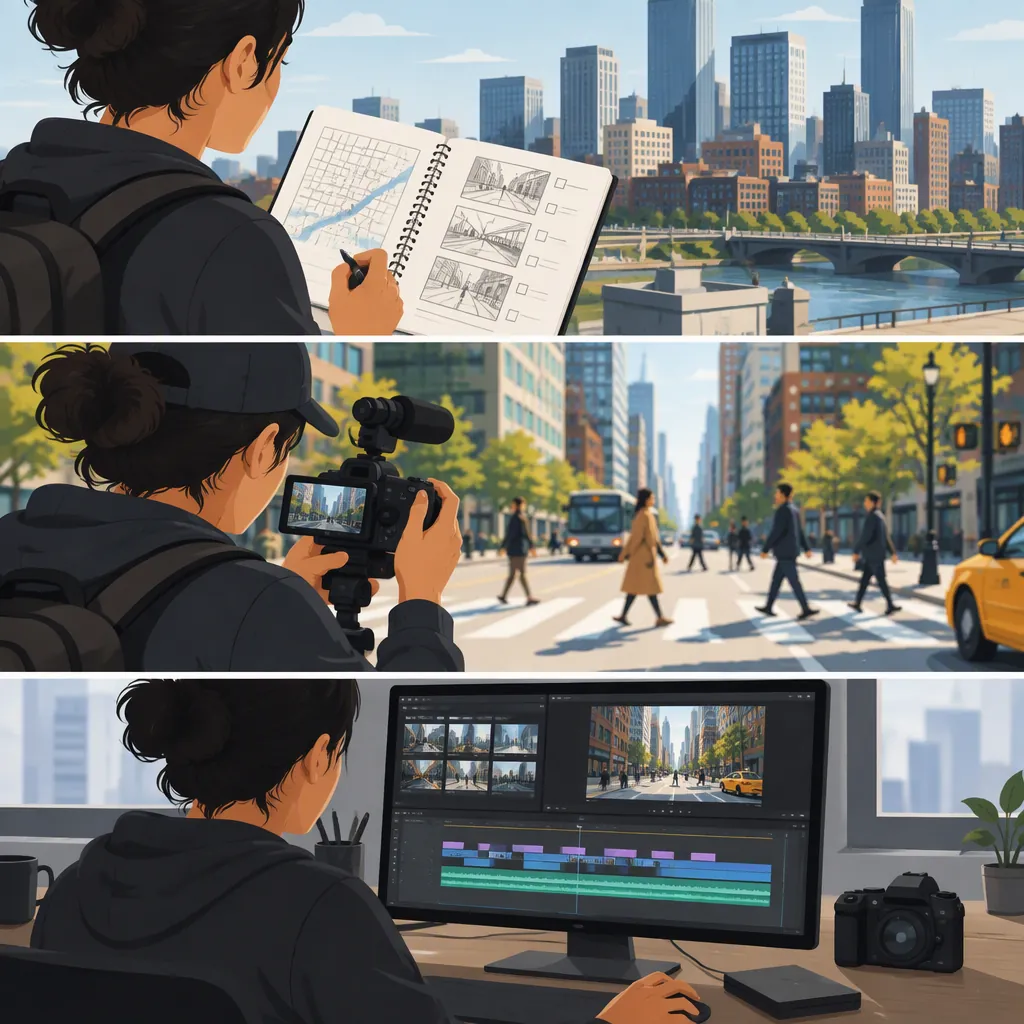
City B-Roll: How to Plan, Shoot, and Use Street Footage
City B-roll is supporting footage of an urban setting, such as streets, buildings, transit, and everyday activity, used alongside a main interview, narration, or scene. Plan each shot around what the viewer needs to understand: where the story happens, what is happening, or which detail matters. A useful starting sequence is a wide view, a closer view of an action, and a detail connected to that action.
Give Each City Shot a Purpose
Treat city B-roll as supporting storytelling rather than a collection of attractive views. Before filming, assign each planned shot a job:
- Establish location: Show the street, neighborhood, or building relevant to the story.
- Illustrate an action: Show the activity discussed in the interview or narration.
- Reveal a detail: Focus on a sign, doorway, surface, or object that adds useful context.
- Connect scenes: Use a location change or journey shot where the story actually moves between places.
For example, in a hypothetical story about a morning commute, plan a wide view of the station entrance, a closer view of someone approaching it, and a detail of the relevant station sign. Avoid substituting an unrelated landmark simply because it looks impressive.
A city montage can be the main scene rather than B-roll. The distinction is the footage’s role in the edit, not whether it shows buildings or traffic.
Build a Small, Connected Shot List
Start with one location and one story beat. The following is a suggested planning template, not a required shot count or sequence. Choose subjects you can film safely and with appropriate permission.
Aim for connected coverage: the wide shot should establish the setting for the closer shots. If the narration names a specific street or station, verify that the footage shows that place.
City B-Roll Shot List Template
| Shot | Suggested Subject | Intended Editorial Job |
| --- | --- | --- |
| Wide | The relevant street or entrance | Establish the setting |
| Medium | An action within that setting | Illustrate the story beat |
| Detail | A sign, object, or architectural feature | Add specific context |
| Alternate | The same subject from a safe second position | Provide another editing option |
| Closing view | The subject leaving or the location settling | End the sequence |

For each shot, record: location, intended meaning, permission status, camera orientation, and any continuity concerns.
Film Deliberately from Safe Positions
Choose a filming position that does not obstruct pedestrians, entrances, or traffic. Check location rules and any applicable permissions before setting up equipment; this article does not establish filming or drone permissions for any jurisdiction.
For a straightforward first pass:
- Match the intended delivery orientation. Decide whether the sequence is primarily horizontal or vertical before framing.
- Start with a steady composition. Let activity move through the frame before adding camera movement.
- Leave room around the action. Begin recording before the useful moment and continue briefly afterward, rather than stopping exactly when it ends.
- Review a test clip. Check focus, exposure, unwanted flicker, and distracting changes in brightness or color.
- Capture connected alternatives. Keep the subject and location recognizable when changing framing.
- Record ambience separately if needed. Note where and when it was captured, and review it for intelligible private conversations before use.
As a conservative practice, seek consent when making an identifiable person the subject, especially in a sensitive situation. Do not assume that public access settles every privacy, property, or publication question.
Edit for Meaning Before Rhythm
Build the main interview, narration, or action first. Then place city B-roll where it contributes specific information. Try the wide–action–detail sequence as a starting point, but change the order when the story calls for it.
For a hypothetical line such as “The walk ends at the station,” show the actual approach or entrance rather than an unrelated skyline. If you only have illustrative footage from elsewhere, avoid presenting it as a record of that journey.
During review, ask:
- Does this image support the words being heard?
- Does the cut imply that separate people, places, or events are connected?
- Do weather, light, movement direction, and location fit the intended sequence?
- Is the shot readable before the next cut?
- Does the added ambience belong to the depicted scene, or should it be treated as illustrative sound?
Choose shot length by viewing the sequence with its audio. Avoid imposing one fixed duration on every clip. Remove shots that repeat information without adding a useful detail.
Evaluate Stock Footage Separately
Stock footage is another option to consider when planning a city sequence. As one documented example, SITE B STUDIOS lists aerial footage around New York City and upstate New York, with graded 4K, LOG 4K, and graded 1080p options. Its listings include subjects such as “Queens Train,” “Brooklyn to Manhattan,” and “Urban Landscape.” These are catalog descriptions, not an independent assessment of the clips. [city-stock]
Before incorporating any stock clip, verify the exact location, available duration, frame rate, dimensions, color treatment, and license terms against your project. Inspect a preview for continuity with your own footage rather than choosing solely by resolution.
The supplied catalog excerpt does not establish the license scope, release status, or permissions for a particular publication. It also does not provide a street-filming tutorial. Treat those questions as unresolved until you have the relevant documentation, and do not represent stock imagery as footage you personally captured.
FAQ
Do I Need a Drone for City B-Roll?
No. Plan a ground-level sequence around a relevant street, entrance, action, and detail. Choose an aerial view only when that perspective serves the story and you have verified the applicable permissions.
How Long Should Each City B-Roll Shot Be?
Use enough time for the viewer to understand the image in context. Capture some material before and after the key action, then choose the final length while reviewing the edit with its narration or scene audio. This guide does not prescribe a universal duration.
Does a Stock Listing Establish Permission to Use a Clip?
Do not treat a catalog listing alone as permission for your particular use. The provided SITE B STUDIOS excerpt describes footage and format options but does not establish license scope or release status. Verify the applicable terms and documentation before publication.
Sources
- [city-stock] Drone Stock Footage — SITE B STUDIOS