Halloween B-Roll: What to Shoot and How to Use It
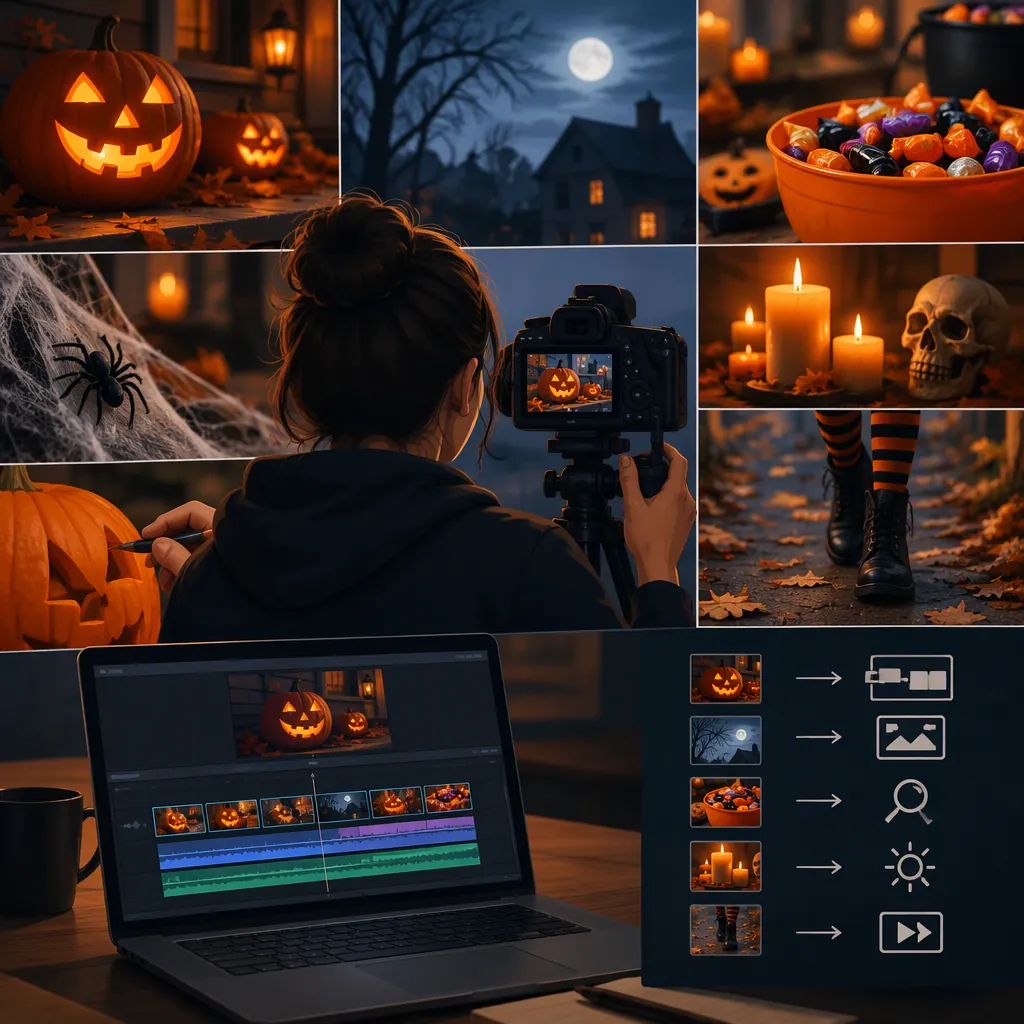
Halloween B-roll is supporting footage that adds seasonal context to your main story: pumpkin details during a decorating tutorial, costume close-ups during an interview, or an eerie doorway beneath narration. Plan each shot around something the viewer needs to see, then film a mix of setting, action, and detail shots. Original footage and stock clips are both options; Mixkit’s Halloween collection explicitly includes clips intended for B-roll, subject to its license.
Give Each Shot a Storytelling Job
B-roll is a role in an edit, not a particular kind of image. A pumpkin-carving close-up can be the main footage in a carving demonstration or supporting footage beneath someone describing their Halloween preparations.
Before filming, assign each shot a purpose:
- Establish the setting: Show the decorated porch or room before moving closer.
- Explain an action: Show hands arranging decorations while narration describes the process.
- Reveal a detail: Show a costume texture, makeup brush, or carved pumpkin face.
- Build atmosphere: Use a shadow, empty doorway, or slow reveal when it fits the story.
Choose a tone first. A playful family craft video and a horror-inspired short need different images. Avoid adding frightening footage merely because it is Halloween-themed.
One-Sentence Planning Prompt
My main story is ____. The Halloween tone is ____. The viewer needs to see ____ while hearing ____. I will film ____ to support that moment.
Build a Small Halloween Shot List
For a manageable shoot, start with one location and one activity. The following is a suggested sequence for a decorating video, not a required formula. Adapt it to your subject and available space.
Keep continuity in mind: photograph the arrangement before moving props, and repeat actions from a consistent starting position. If the video is about a real event, use footage from that event for specific factual details rather than substituting an unrelated scene.
Decorating Video Shot List
| Shot | What to Capture | Intended Use |
|---|---|---|
| Wide setting | The porch or room before decorating | Introduce the location |
| Medium action | Someone placing a pumpkin | Support narration about preparation |
| Close detail | Hands adjusting a decoration | Show the process clearly |
| Texture insert | Fabric, paper bats, or a pumpkin surface | Add a relevant visual detail |
| Reaction | A consenting participant looking at the display | Connect the activity to a person |
| Finished view | The completed arrangement | Close the sequence |

For each setup, record a still version before trying a camera move. Leave a short pause before and after the action so the edit has room to breathe.
Film for Visibility, Continuity, and Safety
Treat darkness as a creative choice, not a reason to lose the subject. Before recording, check whether the important detail is visible on your camera or phone screen. Try adding a soft light from the side or using a battery-powered prop light instead of an open flame.
Use these practical starting points:
- Steady framing: Support the camera for detail shots. Try movement only when it reveals something useful.
- Consistent appearance: Where your device allows it, lock focus and exposure after testing the setup.
- Complete actions: Record the hand entering, placing the prop, and leaving—not just the middle of the movement.
- Delivery format: Compose for the intended horizontal or vertical frame, leaving room for planned captions.
- Useful sound: Record a separate take of relevant sounds, such as footsteps or a door closing, if the location permits it.
Keep walkways clear, secure loose decorations, and avoid camera moves that require walking backward into darkness. Ask permission before filming identifiable participants, and respect location rules.
Pre-Take Checklist
- Subject visible and in focus.
- Framing suits the intended video format.
- Props match the previous take.
- Participants agree to be filmed.
- Camera route and walkways are clear.
- Action has a clean beginning and ending.
- Relevant sound recorded if needed.
Use B-Roll in the Edit and Evaluate Stock Clips
Build the main story first, then place supporting shots where they clarify the spoken content or create an intentional pause. For a pumpkin-decorating explanation, show the relevant action when it is mentioned. Return to the speaker or main action when the supporting image has done its job.
As an editing exercise, try a wide-to-medium-to-detail sequence. Adjust the duration to the action rather than giving every shot an identical length. Check that changes in lighting, color, and movement do not distract from the story.
If you need stock footage, Mixkit’s Halloween page lists examples including decorated pumpkins, cemetery entrances, monster makeup, and costumed figures. It also identifies Halloween B-roll as a possible use. These listings offer subject examples, not proof that a particular clip fits your project. [source-1]
The page describes downloads as free under the Mixkit License. The supplied reference does not reproduce the full license terms, so it does not establish every permitted use, attribution condition, or clearance for an individual clip. Review the applicable terms before publishing. Do not present stock scenes as documentation of your own event. [source-1]
Final Edit Review
For each B-roll clip, ask:
1. What sentence, action, or mood does this support?
2. Does it imply a location or event that is not actually shown?
3. Is the subject readable at the final crop?
4. Does its appearance fit the surrounding footage?
5. If sourced externally, have I checked the applicable usage terms?
6. Can I remove it without losing meaning? If yes, consider a shorter edit.
FAQ
Is Every Halloween Clip B-Roll?
No. Its role depends on the edit. Footage that carries the central action can be main footage; the same footage used to illustrate an interview or narration can function as B-roll.
What Should I Shoot First?
Start with a wide view of your setting, one complete action, and a close-up of a relevant detail. For example, film the decorated table, someone placing a pumpkin, and the pumpkin’s carved face.
Can I Use Stock Footage for Halloween B-Roll?
Stock footage is an option when its content and usage terms fit your project. Mixkit’s Halloween page explicitly mentions B-roll and describes free downloads under its license. That description alone is not enough to confirm every use of an individual clip; review the applicable terms and avoid implying that stock footage depicts your own event.