Gym B-Roll: What It Is, How to Film It, and How to Use It
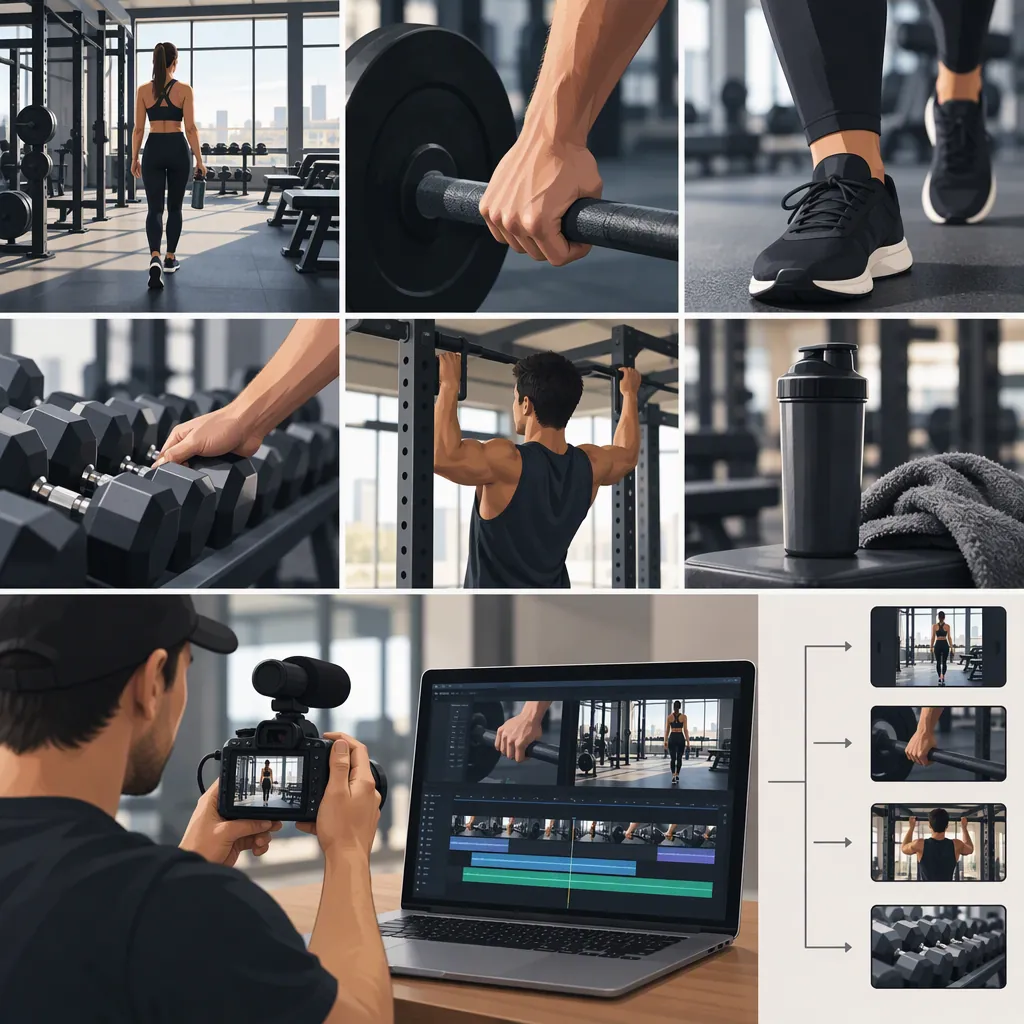
Gym B-roll is supporting footage used alongside a video's main content, such as a trainer speaking to camera. Shots of entering the gym, setting up equipment, demonstrating movements, or planning a session can illustrate the message, establish context, and cover edits. Start with the explanation you want to give, then film supporting actions that match it. [citation-1]
What Counts as Gym B-Roll?
B-roll describes a shot's role in an edit, not a particular exercise or camera style. In the reference guide, a person speaking to camera is A-roll, while supplementary shots of gym activities are B-roll. The guide identifies visual interest, context, atmosphere, and covering cuts as reasons to use it. [citation-1]
For example, if your main footage explains workout preparation, an insert of adjusting a bench can support that explanation. If your main footage explains a movement, a demonstration can illustrate it.
A useful planning question is: What does this shot help the viewer understand? Choose the action for that purpose rather than adding unrelated workout footage.
Build a Purposeful Gym Shot List
The reference guide suggests five categories: entering the gym, setting up equipment, demonstrating exercises, writing or planning, and lifestyle or rest moments. It also recommends clean, well-lit movement clips and multiple angles when possible. [citation-1]
Use those categories as options, not a requirement to include all five in every video. For a video about equipment setup, prioritize preparation details. For a session recap, you might include arrival, exercise, and recovery.
The following checklist is a suggested filming plan, not a prescribed sequence or a guarantee of video performance.
Gym B-Roll Shot Checklist
- Main message: Write one sentence describing what the video explains.
- Location: Capture a permitted view of the entrance or training area without identifiable bystanders.
- Preparation: Film one relevant action, such as adjusting a bench or setting out equipment.
- Movement: Capture a controlled demonstration that supports the explanation.
- Detail: Film a closer view of the relevant setup or action without interfering with it.
- Planning: Capture a notebook or program only after removing private information.
- Rest: Include a recovery moment if it serves the story.
- Review: Remove shots that are unrelated, unsafe, or privacy-sensitive.
Film Respectfully in a Shared Gym
The guide recommends asking when unsure about filming, choosing quiet times, and using a simple phone-and-tripod setup. It also highlights avoiding filming other members. These are practical suggestions, not evidence that a particular gym permits recording. [citation-1]
Before recording, check the facility's filming rules and ask staff about acceptable locations. Keep cameras and supports away from walkways and working equipment. Arrange shots to exclude bystanders, including people visible in mirrors.
For each planned shot:
- Choose a position that does not interrupt anyone's workout.
- Check the background and reflections before recording.
- Capture the relevant action with a steady frame.
- Leave a brief pause before and after the action for editing.
- Review the clip for framing, privacy, and clarity.
Treat filming as secondary to safe training. Do not change a movement or repeat a demanding set solely to get a shot. Skip any angle that requires unsafe camera placement.
Use B-Roll to Support the Explanation
Because B-roll can supply context and cover cuts, it can be placed over portions of a spoken explanation rather than replacing the explanation entirely. [citation-1]
Start by arranging the main message. Then add supporting footage where the viewer would benefit from seeing the action you are describing. For example, pair a sentence about bench setup with footage of that setup—not an unrelated exercise.
Use this suggested editing approach:
- Keep each insert long enough to understand the relevant action.
- Return to the speaker or main demonstration when it helps orientation.
- Use supporting footage over a cut only if it still fits the surrounding message.
- Avoid edits that make separate attempts look like one uninterrupted demonstration.
- Review captions and narration together with the pictures for consistency.
A decorative close-up is not a substitute for a clear demonstration. If you are teaching a movement, preserve the views needed to understand the explanation.
Preparation Video Edit Template
Main footage: State what preparation step the video explains.
Supporting shot: Show the relevant equipment being positioned or adjusted.
Main footage or narration: Explain what the viewer should notice.
Supporting detail: Show that specific detail clearly.
Main footage: Finish the explanation.
Final check: Confirm that the footage matches the words and does not expose other members or private information.
Check the Finished Video Before Publishing
Review the finished edit against its original purpose. Can a viewer connect each supporting shot to the explanation? Are important actions visible rather than obscured by rapid cuts?
Check for identifiable bystanders, mirror reflections, readable screens, and personal details in notebooks. Remove or replace footage you do not have permission to use. Confirm that any gym-specific recording conditions have been respected.
Scope: The cited source is a practical gym-filming guide. It supports the definition and shot categories used here; it does not establish your facility's rules, legal permissions, or a guaranteed improvement in audience response. The checklists and edit template are suggested workflows.
FAQ
Is All Workout Footage B-Roll?
Not necessarily. B-roll is supplementary footage relative to the main content. A movement clip can be the main demonstration in one video and supporting footage over a spoken explanation in another. The reference guide defines B-roll by its supporting role. [citation-1]
Can I Film Gym B-Roll with a Phone?
Yes. The reference guide suggests a phone on a tripod as a simple setup. Check the gym's rules first, and choose a position that keeps equipment, walkways, and other members clear. [citation-1]
What Should I Film First?
Start with a shot that directly supports your video's main message. Equipment setup is one category suggested by the reference guide; arrival, exercise demonstrations, planning, and rest moments are other options. You do not need every category in one edit. [citation-1]