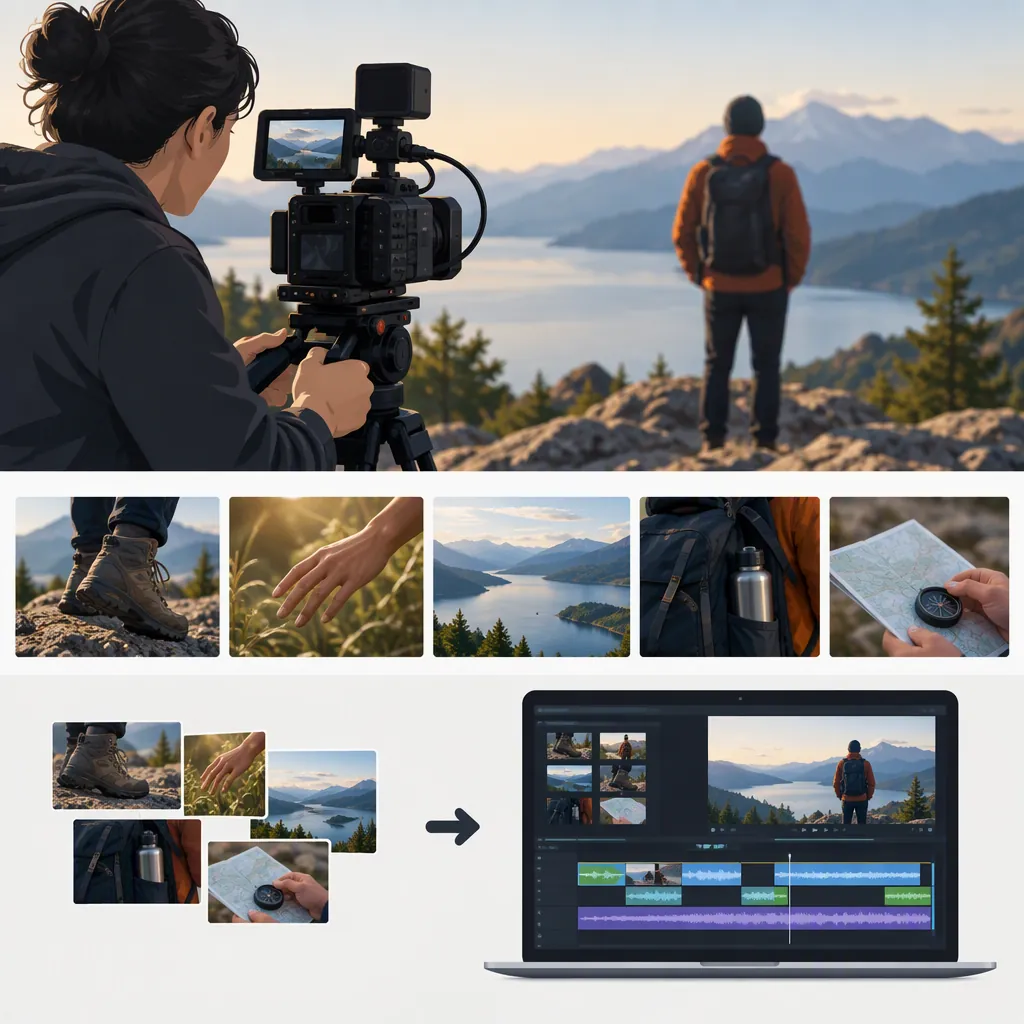
Movie B-Roll: Understanding, Shooting, and Using Supporting Footage
Movie B-roll is supplemental footage intercut with the main footage to show related action, details, or setting. It can establish a location or illustrate narration while the main audio continues. Plan shots around what the audience needs to understand, then shoot your own footage or check the usage terms of sourced clips before including them. [citation-2] [citation-1]
What Counts as Movie B-Roll?
B-roll describes a shot’s supporting role in an edit, rather than a particular visual style. The term covers supplemental or alternative footage intercut with the main shot; examples include establishing shots, inserts, stock footage, and pickups. [citation-2]
For a hypothetical film about a projectionist, the main footage might show the character explaining a problem. Supporting footage could show the theater exterior, the projector mechanism, or the character preparing a reel. These are illustrative possibilities, not requirements for every movie.
A useful planning question is: What does this image help the audience understand? Choose a shot because it supplies context or a relevant detail, not simply because it looks attractive.
Plan B-Roll Around the Scene
Desktop Documentaries describes B-roll as supporting visuals that demonstrate a story’s theme or thought, including footage that illustrates what a narrator describes. It also recommends gathering enough footage to provide choices during editing. [citation-1]
Use that principle to make a short shot list before filming:
- Identify the story beat: What is being said or happening?
- Choose the visual information: Does the audience need a location, an action, or a specific detail?
- Plan alternatives: Consider a wider view and a closer detail where both serve the scene.
- Note continuity: Record any clothing, props, or action state that should remain consistent.
The template below is an original planning aid. It is not a prescribed industry standard.
B-Roll Shot List Template
| Story Beat | Supporting Image | Framing | Continuity Notes | Source and Usage Notes |
| --- | --- | --- | --- | --- |
| Establish the theater location | Exterior before opening | Wide | Match the scene’s intended time of day | Planned original footage; check location permissions |
| Explain the projector problem | Relevant mechanism detail | Close-up | Keep equipment state consistent | Planned original footage |
| Show preparation | Projectionist handling a reel | Medium | Match wardrobe and reel position | Planned original footage; confirm participant permission |
Shoot with the Edit in Mind
Continuity matters when supporting footage is inserted into a scene. Wikipedia’s historical example describes reusable location footage whose clothing and horses remained consistent so that clips could fit later episodes. [citation-2]
For your own shoot, consider this practical workflow:
- Capture the setting or action that your shot list calls for.
- Record a complete action rather than stopping midway through it.
- Leave a little footage before and after the intended moment to give yourself trimming options.
- Review focus, exposure, and distracting movement before moving on.
- Check whether props, wardrobe, lighting, and action still fit the scene.
These are suggested working habits, not fixed technical rules. There is no universal shot duration established by the supplied references; record enough material for the intended action and edit.
Use B-Roll Without Losing the Story
Supporting images can show related scenery or action while audio from the primary footage continues. B-roll is often presented without its own sound or with that sound at a low level. [citation-2]
Try this editing sequence:
- Establish the scene’s main action or spoken point.
- Insert a supporting shot where its information becomes relevant.
- Decide whether the original dialogue, narration, or the supporting shot’s sound should be heard.
- Return to the main footage when the audience needs to see the speaker or central action again.
- Watch the sequence for confusing changes in location, time, or object position.
For the hypothetical projectionist scene, a mechanism detail could appear during an explanation of the fault. Avoid using an unrelated machine detail merely to fill screen time. In documentary work, also consider whether the edit could imply that footage depicts the exact event being discussed when it does not.
Check Rights Before Using Existing Clips
B-roll can be filmed specifically for a project or drawn from a stock-footage library. Desktop Documentaries also describes researching existing archival footage for historical subjects. [citation-2] [citation-1]
A free download is not a blanket usage permission. Desktop Documentaries explicitly advises checking the original source’s license, use policy, and restrictions before using footage. Its resource list does not establish permission for any particular clip. [citation-1]
Before including sourced material, record the clip’s source and check whether its terms permit your intended use. Note any attribution requirements or restrictions stated by the source, and retain a copy of the relevant terms. If permission remains unclear, do not assume the clip is cleared.
This article provides production guidance, not a rights determination for individual movie or archive clips.
FAQ
How Is B-Roll Different from the Main Footage?
Main footage carries the central shot or action; B-roll supplements it with related images. The distinction concerns how footage functions in the sequence, not whether it is professionally shot or visually elaborate. [citation-2]
Does B-Roll Have to Be Silent?
No. Supporting images are often shown without their own sound, or with it at a low level, while primary audio continues. That is a common presentation described by the reference, not a requirement that every B-roll clip be silent. [citation-2]
Can I Use an Existing Movie Clip as B-Roll?
Existing footage can serve a supporting role, but that role does not establish usage permission. Check the original source’s license and restrictions for the specific clip and intended use; a listing on a free-footage resource page is not sufficient clearance. [citation-1]
Sources
-
[citation-1] Free Film Clips and B-Roll Footage
-
[citation-2] B-roll - Wikipedia