How to Grow a Fitness YouTube Channel: A Practical Guide
Growing a fitness YouTube channel starts with making videos for a clearly defined viewer—not with chasing a secret posting schedule or trying to guess an algorithm. Choose a specific audience and the questions you can help them explore, package each video accurately, and use YouTube Studio data to decide what to improve next. YouTube describes recommendations as personalized, with viewer response and satisfaction among the factors involved; no tactic guarantees reach or subscribers. (support.google.com)
1. Choose a Channel Focus Viewers Can Recognize
Start with three prompts:
- Who is the viewer? Describe a group by interest or situation, not just a broad label such as “people who like fitness.”
- What are they trying to learn or do? List the questions you can address with useful, appropriately scoped videos.
- What can they expect from your channel? Write a simple promise that describes the subjects and approach viewers will regularly find.
Turn that promise into a few repeatable themes. For example, a hypothetical channel for people beginning strength training at home might use themes such as explaining basic exercise terms, comparing workout approaches, and answering common equipment-free training questions. These are illustrative ideas—not a researched claim about what viewers want. The creator should adjust them based on their own expertise, audience feedback, and channel data.
A focused channel does not have to cover only one topic forever. It does need a recognizable reason for someone interested in one video to understand why another video might be useful to them, too. YouTube’s creator guidance recommends identifying a core and potential audience, then developing concepts and packaging that communicate their value. (support.google.com)
2. Turn Viewer Questions into Video Ideas
Build a short idea list from actual questions you hear, comments on your channel, and topics viewers appear to seek or watch. YouTube says its Analytics research insights can help creators explore what viewers are searching for, and its Audience tab can show other videos an audience watched. Treat these as inputs for topic planning—not proof that a particular idea will perform. (support.google.com)
For each idea, fill in this sentence:
This video helps [specific viewer] understand or do [specific thing], by showing [what the video will actually deliver].
If the sentence is hard to complete, the idea may be too broad. Narrow it to one question or outcome. Then decide what evidence, demonstration, explanation, or structure the video needs to fulfill that promise.
Hypothetical example: Instead of planning a video called “Fitness tips,” a creator might plan “How to adjust a bodyweight squat to a comfortable range.” The narrower concept makes it easier to decide what the video will cover and what its title should promise. It is not a claim about search volume or likely views.
3. Make the Title, Thumbnail, and Opening Agree
A title and thumbnail are a viewer’s first indication of what a video contains. YouTube advises creators to make titles accurate and succinct, put important words near the beginning, and keep thumbnail designs clear rather than overly complex. (support.google.com)
Use this pre-publication check:
- Topic: Does the video answer a recognizable viewer question?
- Title: Does it clearly state the video’s subject or payoff without promising more than the video delivers?
- Thumbnail: Can a viewer quickly understand its connection to the title and video?
- Opening: Does the first part of the video get to the promised information without a long detour?
- Content: Does the video follow through on the expectation created by the packaging?
For example, a video explaining three ways to modify a movement should not use a title that implies a complete workout plan. The more the title and thumbnail match the video, the clearer the expectation you are setting. YouTube advises that an opening should deliver on the title-and-thumbnail promise; its retention report can help creators see where viewers stayed, rewatched, or left. (support.google.com)
4. Choose Formats and a Publishing Rhythm You Can Sustain
Shorts and longer videos are options, not guaranteed growth levers. YouTube presents Shorts as a way to reach new audiences and try ideas; longer videos can give creators room to develop a subject. Choose a format based on the idea and the time you can reliably spend planning, filming, and editing. (youtube.com)
Set a trial rhythm by working backward from your available production time:
- Estimate how long one video takes from planning through upload.
- Choose a pace that leaves room for your other responsibilities and for making the content carefully.
- Try that pace for a set period you can manage.
- Review both your workload and audience response before changing it.
There is no universal schedule in this guide. A schedule that is manageable for one creator may not be manageable for another. YouTube’s recommendation guidance itself emphasizes a sustained presence, but that does not establish a specific ideal upload frequency for every channel. (support.google.com)
If you can make both Shorts and longer videos, give each a clear purpose. A Short might introduce one idea; a longer video might explain a broader topic. Compare the formats using your own channel’s data and production capacity rather than assuming one format will outperform the other.
5. Build Trust with Appropriately Scoped Fitness Content
Make clear what your video does—and does not—cover. Avoid unsupported health promises, presenting general information as individualized medical or rehabilitation advice, or implying that one approach is suitable for everyone. If a topic involves medical claims, check reliable health guidance before publishing and communicate uncertainty where it matters.
This is also relevant to YouTube policy: the platform prohibits medical misinformation that poses a serious risk of harm by contradicting local health-authority guidance about specific health conditions or substances. The policy can change as health guidance changes, so do not treat this brief summary as a substitute for reviewing the current policy when a video makes health-related claims. (support.google.com)
6. Use YouTube Analytics to Choose Your Next Improvement
Look at several signals together. At the video level, YouTube Analytics can show impressions, click-through rate (CTR), views, and watch-time information. Impressions count qualifying times a thumbnail is shown on YouTube; CTR describes how often viewers watched after seeing a thumbnail. These measures have defined limits—for example, impressions do not include every appearance of a video outside YouTube—so compare like with like and consider traffic sources and audience context. (support.google.com)
Use audience retention to investigate what happened after a view. YouTube’s report describes how different moments held viewers’ attention; dips can indicate viewers skipped or left at a point, while spikes can reflect rewatching or sharing. Those patterns suggest questions to investigate, not certain explanations for why a viewer acted. (support.google.com)
Try this decision process after a video has had time to gather data:
- Few impressions? Revisit whether the topic is clear for the audience you want to reach and whether the video’s idea fits your channel focus. Do not assume the title alone explains reach.
- Impressions but fewer clicks than you hoped? Review the title and thumbnail for clarity, accuracy, and fit with the intended viewer. Compare relevant videos and traffic sources rather than treating one CTR as a universal benchmark.
- Viewers click but leave early? Check whether the opening delivers what the title and thumbnail promised. Review the retention graph and the video itself before deciding what to change.
- Viewers stay for a particular section? Consider whether that topic or explanation merits a follow-up. A spike can have more than one explanation, so inspect the moment rather than assuming it proves what viewers wanted.
Hypothetical example: Suppose a creator sees that a video received impressions but its opening has a noticeable retention dip. They could review whether the introduction takes too long to reach the promised demonstration, then make that demonstration clearer or earlier in a future video. This is a testable editorial decision—not proof that the opening caused the video’s overall performance or that the change will increase reach.
For eligible long-form videos, YouTube’s title-and-thumbnail testing tool can compare up to three options and selects the option with the highest watch time. YouTube’s help page says the feature is available on desktop through Studio for eligible creators, and it is not available for Shorts. If you use it, follow the current eligibility details in YouTube Studio. (support.google.com)
7. Repeat the Cycle
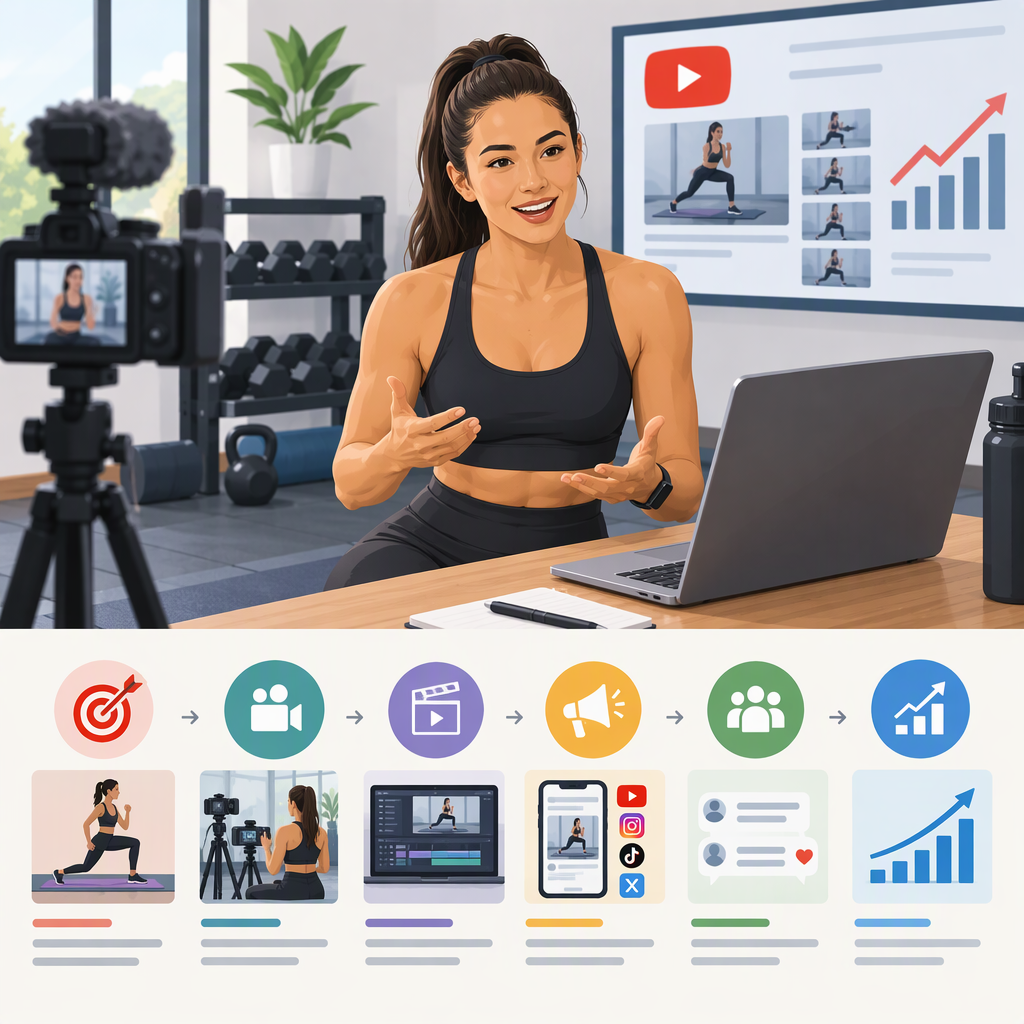
A practical channel-growth workflow is:
- Choose a specific viewer and a question they may have.
- Make a video that answers that question within your expertise.
- Write an accurate title, create a clear thumbnail, and make the opening deliver on the promise.
- Publish at a pace you can sustain.
- Review reach and viewing behavior in context.
- Choose one change to test in a future video.
The aim is not to decode a universal formula. It is to make a channel’s value easier to recognize, deliver what each video promises, and learn from the signals your own audience leaves behind.