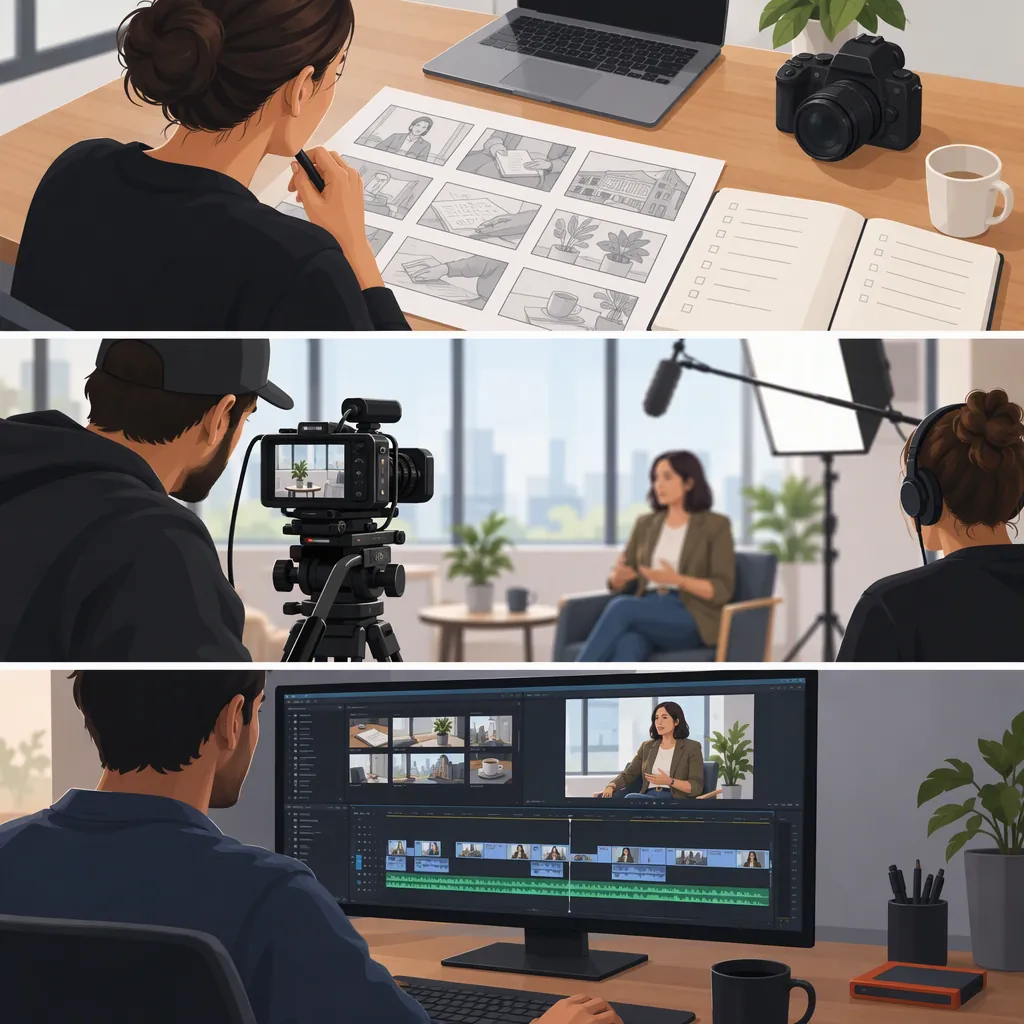
B-Roll for Interviews: What to Shoot and How to Edit It
B-roll for interviews is supporting footage shown alongside the main interview, often while the speaker’s audio continues. Useful choices include the subject doing relevant work, the places they discuss, objects and details, and location shots that establish context. Plan these shots around interview topics, capture wide, medium, and close views, and use them to clarify the story or cover edits—not simply to fill the screen. [citation-1]
Choose Shots That Serve the Interview
Start with a question: What does this image help the viewer understand? The supplied workflow groups interview b-roll into illustrative, observational, transitional, and atmospheric footage. These are useful planning categories rather than requirements for every interview. [citation-1]
- Illustrative: Show a process, object, or location the speaker describes.
- Observational: Film the subject carrying out a real activity in their environment.
- Transitional: Establish a location or help introduce a change of scene.
- Atmospheric: Support a mood through environmental details rather than literal illustration.
For a hypothetical interview with a baker, this could mean showing dough preparation, the baker working, the shop exterior, and the quiet workspace before opening. Choose only the images that fit the actual interview.
Treat visual relevance and factual proof as different things. A present-day shot can illustrate an account of the past without documenting the past event. As an editorial safeguard, avoid placing footage where it would imply an unsupported time, location, or connection.
Build a Shot List from Interview Topics
Review the interview questions before filming and connect likely talking points to specific images. Group the resulting shots by location and give b-roll its own scheduled capture time. During the interview, note unexpected references that may need additional coverage. This follows the planning approach in the supplied workflow. [citation-1]
Keep the list flexible: anticipated answers are not a script for what the subject must say. After the interview, revise the list around what was actually discussed.
Prioritize shots that explain an important activity or establish essential context. Decorative footage can wait if time is limited. The worksheet below is an original planning template, not a prescribed production standard.
Interview B-Roll Planning Worksheet
| Interview Topic | Image Needed | Wide View | Medium View | Detail View | Access or Context Notes |
| --- | --- | --- | --- | --- | --- |
| Main activity | Subject performing the relevant task | Full workspace | Subject and task | Hands or tools | Confirm when the activity occurs |
| Important place | Location discussed in the interview | Exterior or full room | Relevant area | Identifying detail | Note filming date and location |
| Meaningful object | Object the subject mentions | Object in its setting | Subject with object | Relevant feature | Check permission and private information |
| Unexpected topic | Visual identified during the interview | To determine | To determine | To determine | Confirm relevance before filming |
Capture Coverage with Room to Edit
For a relevant activity, capture a wide view that establishes the setting, a medium view that shows the action, and a close view that reveals a useful detail. The supplied workflow recommends this coverage pattern and holding the camera before and after the action to provide editing options. [citation-1]
Avoid stopping as soon as the key action happens. Let the shot settle, record the action, and leave a clean ending. Capture natural sound as well as pictures, and record a separate stretch of room tone at each location. The reference recommends both practices for audio continuity. [citation-1]
Use these checks while filming:
- Is the subject or action clear in the frame?
- Is the shot steady enough for its intended use?
- Are exposure and color reasonably consistent with nearby footage?
- Does the clip include a usable beginning and ending?
- Is the recorded sound useful, or does it need a separate take?
The reference offers numerical guidelines for coverage and shot duration, but they are not universal requirements. Plan around the actions, access, and story you need to cover rather than treating a footage ratio as a guarantee.
Edit Around Meaning, Not a Timer
Build a clear interview sequence first, then identify places where supporting images add context, show an activity, establish a location, or cover a visual jump caused by a trim. The reference identifies these as uses for interview b-roll. [citation-1]
Keep the speaker’s audio continuous where appropriate:
- L-cut: Let interview audio continue after the picture changes to b-roll.
- J-cut: Introduce interview audio while b-roll is still onscreen, before returning to the speaker.
These audio overlaps are described in the supplied workflow. [citation-1] Bring in location sound selectively so that it supports rather than obscures speech.
Do not replace the interview image just because a fixed interval has passed. Stay with the speaker when their expression or delivery matters. Use a longer b-roll hold when viewers need time to understand an action, and a shorter insert when a detail is quickly readable. The reference likewise recommends varying shot length and retaining the speaker’s presence during emotionally significant moments. [citation-1]
As a final editorial check, listen to the trimmed answer without pictures. Then watch it with b-roll. Confirm that neither the audio edit nor the image choice changes the apparent meaning of the speaker’s account.
B-Roll Edit Review Checklist
- [ ] Each b-roll shot has a clear purpose: explanation, observation, transition, or atmosphere.
- [ ] The trimmed interview preserves the speaker’s meaning.
- [ ] Footage does not imply an unsupported time, place, or event.
- [ ] Important expressions remain visible when they matter to the story.
- [ ] Shot duration allows the action or detail to be understood.
- [ ] Natural sound does not compete with dialogue.
- [ ] Audio transitions and returns to the interview feel deliberate.
FAQ
How Much B-Roll Do I Need for an Interview?
There is no single amount established by the supplied source for every project. It offers a coverage-ratio rule of thumb, but your practical target should be enough relevant footage to cover the key topics and build usable sequences. Check for missing activities, locations, and details rather than relying only on total recorded minutes. [citation-1]
Can I Shoot B-Roll on a Different Day?
Yes. The supplied workflow allows footage from different shooting days and recommends attention to visual consistency and relevance. As an editorial safeguard, avoid making later footage appear to document the exact earlier event the speaker describes; clarify timing when that distinction matters. [citation-1]
Does B-Roll Need to Match Every Word?
No. The supplied workflow distinguishes direct illustration from atmospheric imagery. Use direct images to explain concrete subjects and more interpretive images carefully for mood. Leave the speaker onscreen when their delivery is more useful than a supporting shot. [citation-1]
What Is the Difference Between B-Roll and a Cutaway?
B-roll is the broader category of supporting footage. A cutaway is an editing choice that moves away from the main interview image to another image and then returns. B-roll can also form a sequence or introduce a new location without functioning as a brief cutaway. [citation-1]