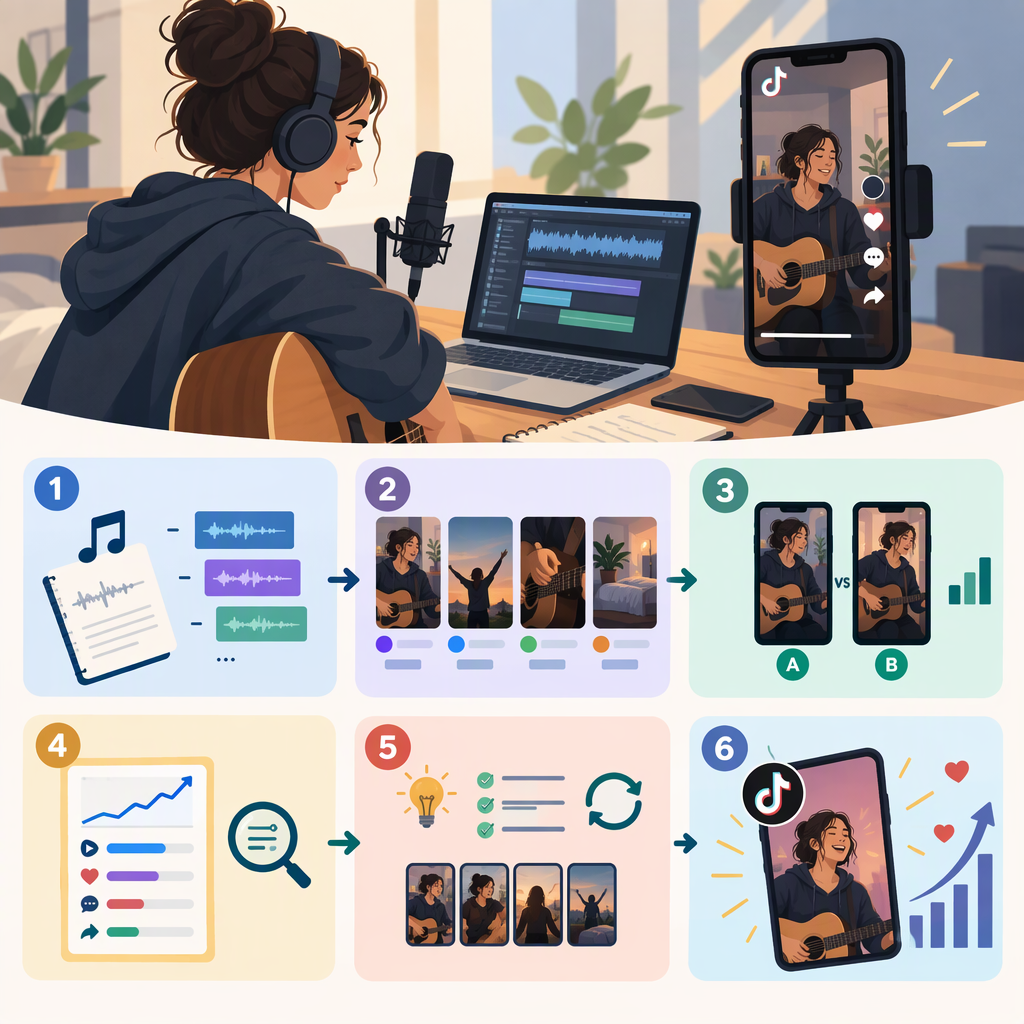
How to Get Your Song Viral on TikTok: A Practical Testing Plan
How to Give Your Song a Better Chance of Catching On
There’s no reliable formula for making a song go viral on TikTok. Treat promotion as a series of creative tests: choose a memorable moment from the song, make several different videos around it, check that the sound is available and usable, invite people to take part, then review what happened before deciding what to try next.
TikTok says its For You recommendations draw on a combination of factors, including user interactions and video information such as sounds, captions, and hashtags. That is a general description of a personalized recommendation system—not a formula for making a song take off, a promise that using a particular sound will increase reach, or a fixed set of ranking weights. (newsroom.tiktok.com)
Choose a Song Moment People Can Build a Video Around
Listen for a short section that gives someone a clear creative starting point. It might contain a striking lyric, a change in energy, an emotional turn, a beat that suits a transition, or a phrase that could mean different things in different videos. These are creative prompts, not verified TikTok ranking signals.
For each candidate moment, ask:
- Can a viewer quickly understand the feeling, joke, scene, or change that the music suggests?
- Does the moment leave room for someone else to make their own version, rather than just copy yours?
- Does it make sense without a long explanation?
- Is the song moment easy to identify and use in the app, and do you have permission to invite others to use it?
Pick one or two promising moments to explore first. A strong passage can inspire multiple video ideas; choosing a hook does not mean you have to make every post look the same.
Test Different Video Ideas
Make posts with meaningfully different premises, not near-identical edits that only change a caption. For example, imagine a song with a lyric about missing the last train. You could make:
- A short, literal scene about racing for a train.
- A before-and-after video in which the beat change marks a change of mood.
- A first-person prompt inviting people to show what they miss or leave behind.
These are hypothetical creative examples, not reported campaigns or proven performance tactics. They give viewers different ways into the same song moment.
Keep a simple record of each post’s date, song section, premise, caption, and what you wanted viewers to do. When practical, vary one important creative choice at a time—for example, keep the song section and change the premise. That makes it easier to notice which ideas merit another test. It does not make posts a controlled experiment: timing, audience, and other factors can differ.
Check That People Can Use the Intended Sound
Before asking viewers to make videos with your song, search for it in TikTok’s sound picker and confirm that the right recording and section appear. TikTok’s help page describes adding a sound by searching in the app, previewing it, and using the edit option to adjust the clip. Available options can vary, so check in your own account rather than assuming the sound will appear the same for everyone. (support.tiktok.com)
If you can’t find the track, ask your label, distributor, or rights administrator about the official route for making it available on TikTok. Don’t assume that uploading a video with the audio will create a reusable, officially listed sound, or that a particular distributor, account, or release route guarantees availability. Confirm the track’s status, territory, account eligibility, and any relevant delivery or licensing conditions with the responsible service or current TikTok guidance.
Check rights before inviting reuse. Make sure you have permission for the recording and composition, including any collaborator, label, publisher, sample, or other rights that apply. TikTok says posts that promote a brand, product, or service should use music from its Commercial Music Library or otherwise have the necessary licenses for music used outside it. That guidance addresses commercial content; if your post falls into that category, check the current requirements before publishing. (support.tiktok.com)
Invite Participation, Then Review and Adapt
Give people a specific but open-ended prompt: show a transformation, finish a lyric-related idea in your own way, or use the song for a scene that fits its mood. Make it easy to understand, and leave room for personal interpretation. A prompt can encourage participation, but it can’t guarantee that people will use the sound or that TikTok will recommend the posts.
After publishing, review several posts rather than drawing a conclusion from one. TikTok Studio offers creator tools for viewing content performance; TikTok says analytics can include total views, net followers, likes, and more, while some features or metrics may vary by region or availability. TikTok for Artists also describes song and post insights for artists who can access the service. Use the measures actually shown to you, and check their in-app definitions before interpreting them. (support.tiktok.com)
Compare the creative choices you recorded: which premise prompted more relevant comments, which version people seemed to respond to, and whether the available song-related insights show a pattern worth investigating. Don’t treat views alone as proof that viewers discovered the song elsewhere, or that streaming or sales increased. Those are separate outcomes and need their own evidence.
A practical next-step rule:
- Repeat or extend a concept if more than one post suggests it resonates with your intended audience.
- Adapt it if the video premise gets a response but the song moment feels hard to recognize or use; test a clearer section or presentation.
- Try a different premise if the song moment seems promising but one video idea gets little meaningful response.
- Pause and check the basics if people can’t find or use the intended sound, or if rights or availability are unclear.
These are decision aids, not performance benchmarks. There is no required number of posts or response threshold that guarantees a result.
Quick Pre-Post Checklist
- Choose a song section with a clear emotional or visual possibility.
- Pair it with distinct video premises, rather than repeating the same edit.
- Search for and preview the intended sound in TikTok.
- Confirm relevant permissions before encouraging other people to reuse the music.
- Use a clear, optional participation prompt.
- Record what each post tests; compare multiple posts and the analytics available to you.
- Decide what to repeat, adapt, or stop without treating views as proof of downstream music listening.
The goal isn’t to force virality. It’s to make the song easy to understand, use, and interpret—and to learn which creative direction is worth testing next.