SRT Subs: What SRT Subtitle Files Are and How They Work
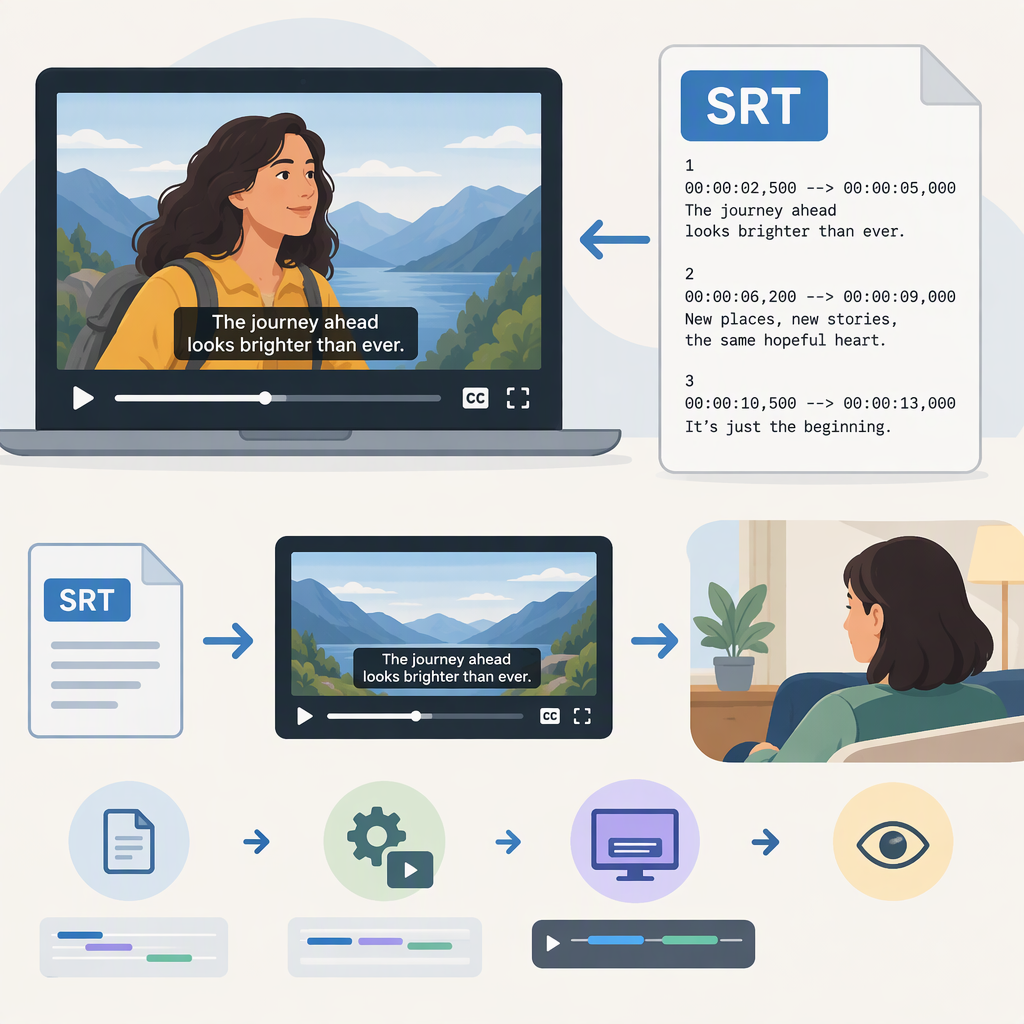
“SRT subs” usually refers to subtitles stored in an SRT file—a plain-text file that holds subtitle text and timing information. It accompanies a video; it does not contain the video itself. “SRT” stands for SubRip Subtitle. (loc.gov)
What’s Inside an SRT File?
An SRT file is arranged in caption blocks. A block typically has a sequence number, a start and end time, the subtitle text, and a blank line before the next block. The timestamps tell a compatible player when to show and hide each caption. (loc.gov)
For example, this illustrative block displays “Hello there.” from one second to two seconds into a video:
1
00:00:01,000 --> 00:00:02,000
Hello there.
The text and timing are separate from the video’s picture and sound. A player reads the file alongside the media and uses its timestamps to display each caption. (loc.gov)
What Are SRT Subtitles Used For?
SRT files can provide subtitles or captions alongside video. Because they are separate text files, the subtitle text and timings can be handled independently of the video. Whether a particular app or platform accepts an SRT file depends on that destination; don’t assume every service handles subtitle files the same way. (loc.gov)
If You’re Looking for Subtitles for a Particular Video
“SRT subs” alone doesn’t identify a movie, episode, video edition, language, or playback app, so it isn’t enough to identify a particular subtitle file. A useful next step is to specify the video and the subtitle language. Then check that the candidate file is intended for the version you’re watching and that its timing follows the video; an SRT file relies on those timecodes to stay in sync. (loc.gov)
If you meant how to create or edit SRT subtitles, or need subtitles for a specific title, that is a different task from understanding what an SRT file is. The short phrase by itself doesn’t establish which of those you mean.