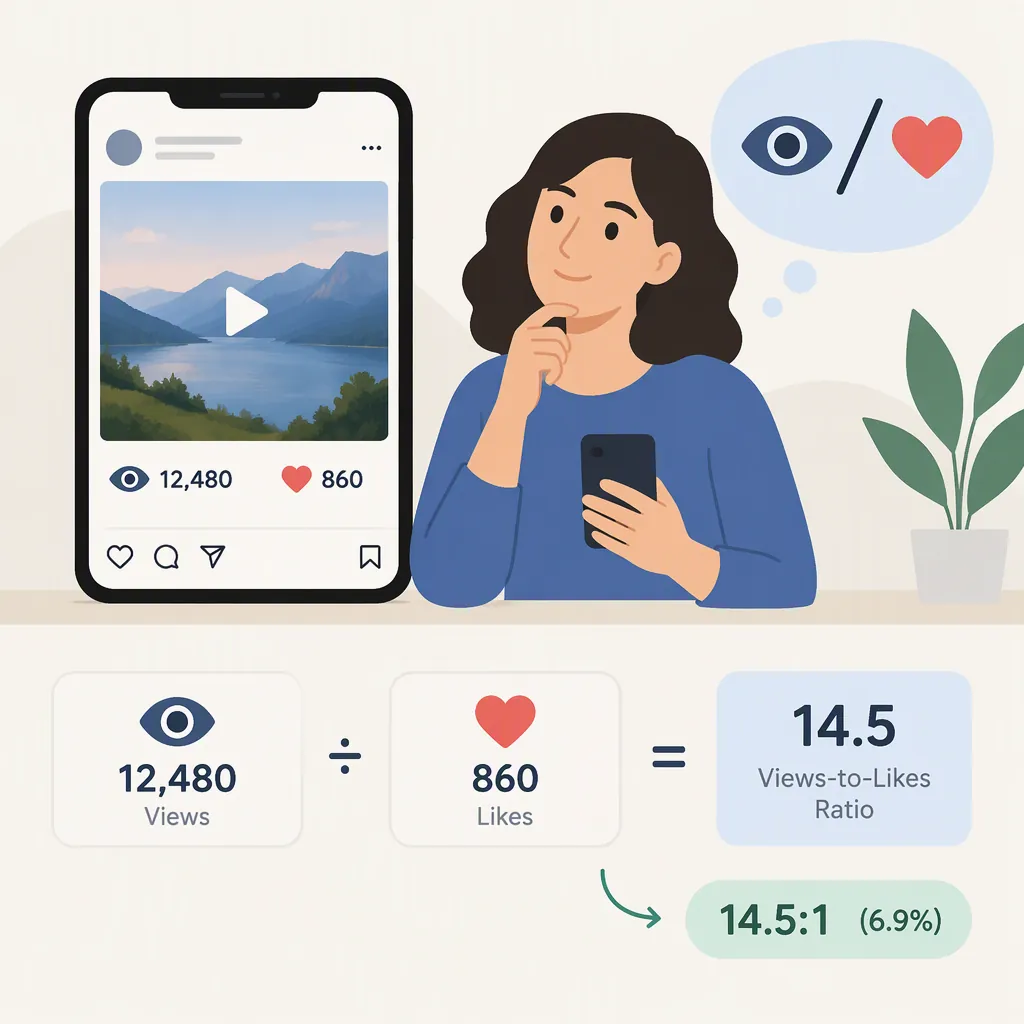
How to Calculate Your Instagram Views-To-Likes Ratio
To calculate an Instagram views-to-likes ratio, divide views by likes. For a hypothetical post with 1,000 views and 50 likes, the ratio is 20:1, or 20 views per like. If you want a percentage instead, calculate likes ÷ views × 100: the same post has a 5% likes-per-view rate. Keep that separate from likes per reach, which uses a different denominator in the supplied source. [citation-1]
Calculate Views per Like or Likes per View
The phrase “views-to-likes ratio” can describe two inverse calculations. Label your result so readers know which one you mean.
| Measure | Formula | How to Read It |
|---|---|---|
| Views per like | Views ÷ likes | The number of views for each like |
| Likes-per-view rate | Likes ÷ views × 100 | Likes per 100 recorded views |
Use counts from the same post and the same observation point. Do not divide a post's likes by account-wide views or combine counts captured at different times.
When likes are zero, views per like is undefined. When views are zero, the likes-per-view percentage is undefined. Record these as “N/A,” not as a calculated zero.
Spreadsheet Formulas
Set A2 to views and B2 to likes, using nonnegative numeric counts.

Views per like:
=IF(B2=0,"N/A",A2/B2)

Likes-per-view rate:
=IF(A2=0,"N/A",B2/A2)

Format the second formula's cell as a percentage. Do not also multiply by 100 when using percentage formatting.
Work Through a Hypothetical Example
Suppose a post has 2,400 views and 120 likes. These are illustrative numbers, not results from an actual account.
- Views per like: 2,400 ÷ 120 = 20, written as 20:1.
- Likes-per-view rate: 120 ÷ 2,400 × 100 = 5%.
Now suppose another post has 2,400 views and 60 likes. Its views-per-like ratio is 40:1, and its likes-per-view rate is 2.5%.
At the same view count, more likes produce a lower views-per-like ratio but a higher likes-per-view percentage. A larger number is therefore not always the stronger result: it depends on which calculation you report.
Neither result means that exactly one in every 20 unique viewers liked the first post. That interpretation would require the denominator to represent unique viewers, rather than merely a count labeled “views.”
Keep Views, Reach, and Followers Separate
A percentage changes meaning when you change its denominator. Label each calculation explicitly:
- Likes ÷ views × 100: likes relative to the recorded view count.
- Likes ÷ reach × 100: likes relative to the recorded reach count.
- Likes ÷ followers × 100: likes relative to the follower count you chose to record.
The supplied Torro article defines its “like rate” as likes divided by people reached, not likes divided by views. Its discussion of like rate should not be treated as a views-based benchmark. [citation-1]
A likes-only rate is also not the same calculation as a rate that adds comments, shares, or other interactions to the numerator. If you include additional interactions, name them and state the formula rather than calling the result a likes ratio.
Interpret the Ratio Without a Universal Benchmark
The supplied reference does not establish a universal “good” Instagram likes-per-view percentage. Its reach-based like-rate discussion is not enough to set a views-based threshold. [citation-1]
For a more useful comparison, establish your own reporting rules:
- Compare the same content format and the same metric labels.
- Measure posts at a consistent age, such as seven days after publication. This is an example reporting window, not a platform rule.
- Keep paid and unpaid distribution separate if those categories are available in your records.
- Read the rate alongside the actual view and like counts.
- Look across several posts before drawing a conclusion about a content pattern.
Small counts deserve caution. A hypothetical post with 10 views and one like has a 10% likes-per-view rate, but one additional like changes it to 20%. The percentage alone hides that sensitivity.
This ratio describes the relationship between two counts. It does not, by itself, establish why a post performed as it did, predict future reach, or measure follower growth.
Track Multiple Posts Consistently
Keep a simple record containing the post identifier, format, observation date, views, likes, and the calculated rate. Add reach or follower count only when available, and keep those fields separate.
For a combined likes-per-view rate across several posts, use total likes ÷ total views × 100. This answers a different question from the unweighted average of each post's percentage.
For example, a hypothetical post with 100 views and 10 likes has a 10% rate, while another with 900 views and 9 likes has a 1% rate. Their unweighted average is 5.5%, but their combined rate is 19 ÷ 1,000 × 100 = 1.9%. Label whichever summary you use.
Copyable Tracking Template
Post ID | Format | Observation Date | Post Age | Views | Likes | Views per Like | Likes-per-View Rate
Example A (hypothetical) | Reel | Day 7 review | 7 days | 2400 | 120 | 20:1 | 5%
FAQ
Is a 5% Instagram Likes-Per-View Rate Good?
It means five likes per 100 recorded views. The supplied reference does not establish 5% as a universal good result; its like-rate discussion uses reach instead of views. Compare the result with similarly measured posts from your own records. [citation-1]
Should I Divide Views by Likes or Likes by Views?
Divide views by likes for views per like, usually written as a ratio such as 20:1. Divide likes by views and multiply by 100 for a likes-per-view percentage such as 5%. Both are valid, but they must be labeled clearly.
What If a Post Has Views but No Likes?
With positive views and zero likes, the likes-per-view rate is 0%. Views per like is undefined because it requires division by zero; record that result as N/A.
Does This Ratio Measure Follower Growth?
No. The calculation contains views and likes, not follower changes. Track follower growth separately and avoid attributing it to a post solely because that post has a high likes-per-view rate.