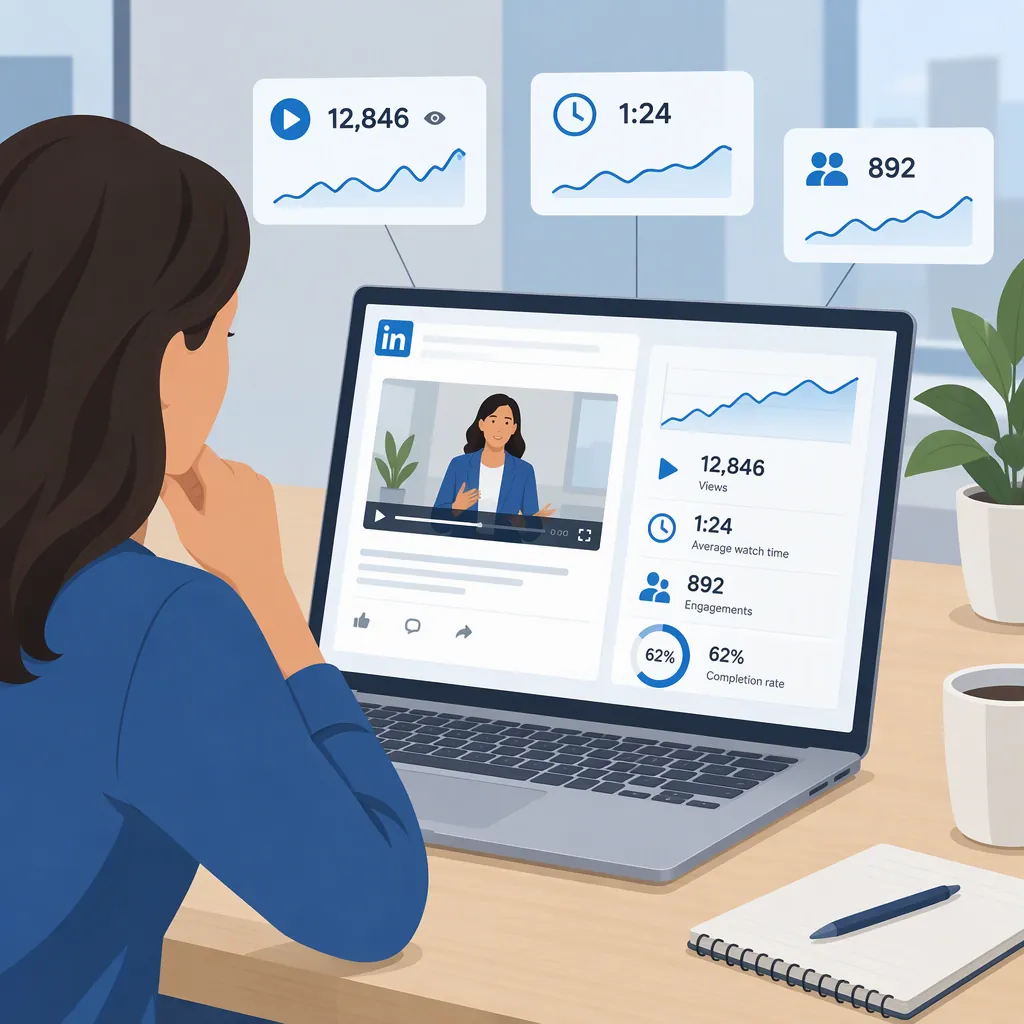
How to View and Interpret LinkedIn Video Analytics for One Post
To analyze one LinkedIn video, find the post in your content analytics, record its metrics and the measurement date, then separate exposure, viewing depth, and engagement. LinkedIn documents a profile-based route to creator analytics; use video views and watch-time fields only if they appear for your post. A view count alone does not tell you how much of the video people watched. [c2] [c3]
Find Your Video in LinkedIn Analytics
For a video published from a personal profile, LinkedIn documents this desktop route:
- Click Me, then View Profile.
- Scroll to Analytics and select Show all.
- In the analytics dashboard, select Content analytics.
- Choose the date range. Select Impressions or Engagements to change the trend graph and the ordering of top-performing posts.
- Look for the video in Top performing posts, using Show more if necessary. [c2]
LinkedIn also documents a Most recent posts performance section with Show all posts. That feature is described as gradually rolling out and desktop-only, so it may not appear in your account. Its date selector determines which posts appear by their creation date. [c2]
On mobile, open your profile, select Show all under Analytics, then use the dashboard’s Overview selector to open Content analytics. [c2]
These are creator-analytics instructions, not a Company Page or advertising workflow. The supplied LinkedIn Help page does not document a universal video-detail screen or guarantee every video metric. Once you locate your post, record the fields actually available rather than assuming another account’s interface will match yours.
Separate Exposure, Viewing Depth, and Response
Read the post in three layers rather than choosing one headline number.
| Layer | What to record, if available | Interpretation question |
|---|---|---|
| Exposure | Impressions, video views, and any separately labeled reach metric | How much distribution or initial viewing did this post receive? |
| Viewing depth | Total watch time and average watch time | Did viewing extend beyond the opening? |
| Response | Reported engagements and individual reactions, comments, or reposts | What response accompanied the viewing? |
LinkedIn’s creator guide explicitly documents impressions and engagements as content-analytics selections. Vidico’s secondary summary discusses video views, cumulative time viewed, and average watch time; it does not establish that all these fields are available for every personal-profile video. [c2] [c3]
Keep impressions, views, and unique people reached in separate columns. Do not substitute one for another when calculating a rate. Likewise, record the platform’s engagement label and definition instead of silently treating a custom sum of interactions as the same metric.
Follower demographics are a separate context check. LinkedIn’s documented Audience analytics describes followers, not necessarily the viewers of this particular video. Do not use that follower breakdown as proof of who watched the post. [c2]
Interpret Views Alongside Watch Time
Treat views as a starting signal, not evidence of a completed watch. The provided sources disagree on the qualifying threshold: Dataflo’s 2023 article uses three seconds, while Vidico’s 2026 summary attributes a more-than-two-second definition to LinkedIn’s Page content documentation. Neither establishes a universal threshold for every reporting surface. Preserve the definition shown in your report. [c1] [c3]
If average watch time is available, read it alongside the video’s duration. For an illustrative example, not a benchmark, a 60-second video with 12 seconds of average watch time has an average-watch-time-to-duration ratio of 20%:
12 ÷ 60 × 100 = 20%
That is a descriptive ratio you calculate, not a completion rate. It does not tell you what percentage of viewers reached the end, nor where individual viewers stopped.
Use the combination to form cautious hypotheses:
- Many views but brief average watch time: inspect whether the opening clearly delivers the topic promised by the post text.
- Fewer views but sustained watch time: consider whether the video served a smaller audience well before labeling it unsuccessful.
- Watch time without much visible response: review whether the video was intended to inform quietly or invite discussion.
These are review prompts, not diagnoses of the algorithm or proof that a particular edit will improve results.
Build a Consistent Single-Post Review
Start with the video’s intended purpose: initial exposure, sustained explanation, or discussion. Then record one snapshot of its results. Choose the primary metric before interpreting the outcome so that an unexpectedly large number does not redefine success after the fact.
For comparison, use your own earlier videos with similar purposes, lengths, and publishing contexts. Take snapshots at comparable post ages, such as the same number of days after publication. Keep personal-profile, Company Page, organic, and paid results separate unless their definitions and scope are explicitly compatible.
External benchmarks are context, not pass/fail rules. Vidico’s statistics roundup distinguishes platform-wide consumption from per-post Company Page performance and paid-video findings. Those populations do not automatically describe your individual profile video. [c3]
If a field is missing, write not available rather than zero. If you calculate a custom rate, name both inputs—for example, reactions per impression—and keep that calculation distinct from any platform-reported engagement rate.
Single-Video Review Worksheet
Copy and complete this worksheet:

- Post identifier or URL: ____
- Publishing surface: personal profile / Company Page / other
- Distribution: organic / paid / mixed / unknown
- Published date and time: ____
- Snapshot date and time: ____
- Post age at snapshot: ____
- Video duration: ____
- Intended purpose: ____
- Primary metric chosen for that purpose: ____
- Impressions, using the displayed label: ____
- Video views and displayed definition: ____
- Total watch time, if available: ____
- Average watch time, if available: ____
- Reported engagements and definition: ____
- Individual interactions worth reviewing: ____
- Comparable earlier post and matched snapshot age: ____
- Observation supported by the numbers: ____
- Alternative explanation: ____
- One change to test in a future video: ____

Use “not available” for missing fields. Do not replace missing values with zero.
Turn the Review into One Testable Change
Finish with a short observation, a hypothesis, and one change—not a broad conclusion about your entire content strategy.
For example: “This post received initial views, but average watch time was short relative to its duration. The opening may have delayed the useful explanation. In the next comparable video, introduce the main answer earlier.” This is a hypothetical interpretation, not a report of actual results.
Review comments for substance as well as count: questions, corrections, and specific responses can help you understand what the video communicated. Avoid concluding that a large reaction count proves understanding or that a quiet comment section proves failure.
After the next comparable post, repeat the worksheet at the same post age. A difference can inform the next test, but one pair of posts cannot isolate the effect of an edit from changes in topic, audience, or distribution.
Compare Explanations and Check Professional Understanding
To compare delivery rather than merely topics, choose two videos addressing the same professional question for the same intended role. For example, one might explain a decision verbally and another walk through a labeled example. Keep duration, publishing context, and post age reasonably comparable; record differences in distribution and audience instead of treating an organic comparison as a randomized test. Use only watch-time fields actually available in your reporting surface.
Read substantive comments for evidence of what people understood: can they apply the distinction, identify a relevant exception, or ask a specific follow-up? Separate correct applications, plausible misunderstandings, corrections to your explanation, and generic praise in your notes. A handful of comments is a self-selected sample, not a test score for all viewers. Lack of comments does not establish lack of learning. If a misconception appears, clarify it and check whether a future explanation makes the boundary clearer.
Assess audience relevance separately from volume. Where someone voluntarily supplies professional context in a comment, consider whether their question matches the role and problem the video serves; do not infer a viewer's occupation from a view count or treat follower demographics as that video's viewer breakdown. A smaller video with concrete, relevant discussion may be useful, but that does not prove commercial impact. Finish the comparison with one supported observation and one delivery change to test, not a claim that the more-viewed version taught better.
FAQ
Does a LinkedIn Video View Mean Someone Watched the Whole Video?
No. The supplied video sources describe short qualifying playback thresholds, although they disagree on the exact threshold. A view count is not a completed-watch count. Use the definition in your reporting surface and review watch-time metrics if available. [c1] [c3]
Can I Export LinkedIn Creator Analytics?
Yes. LinkedIn documents an XLSX export from content analytics. It also documents CSV export from the recent-post performance table where that feature is available, with Load more needed before exporting more than the five most recent posts. The Help page does not guarantee specific video-watch fields in those exports. [c2]
What Is a Good View Rate for One LinkedIn Video?
There is no defensible universal target for your post in the supplied evidence. First confirm the view definition and denominator, then compare videos from the same publishing surface at similar post ages. A benchmark using reach is not interchangeable with a rate you calculate using impressions. Dataflo’s historical view-rate formula uses reach as its denominator. [c1]