How to Create and Use a Walmart Affiliate Link Through Cuelinks
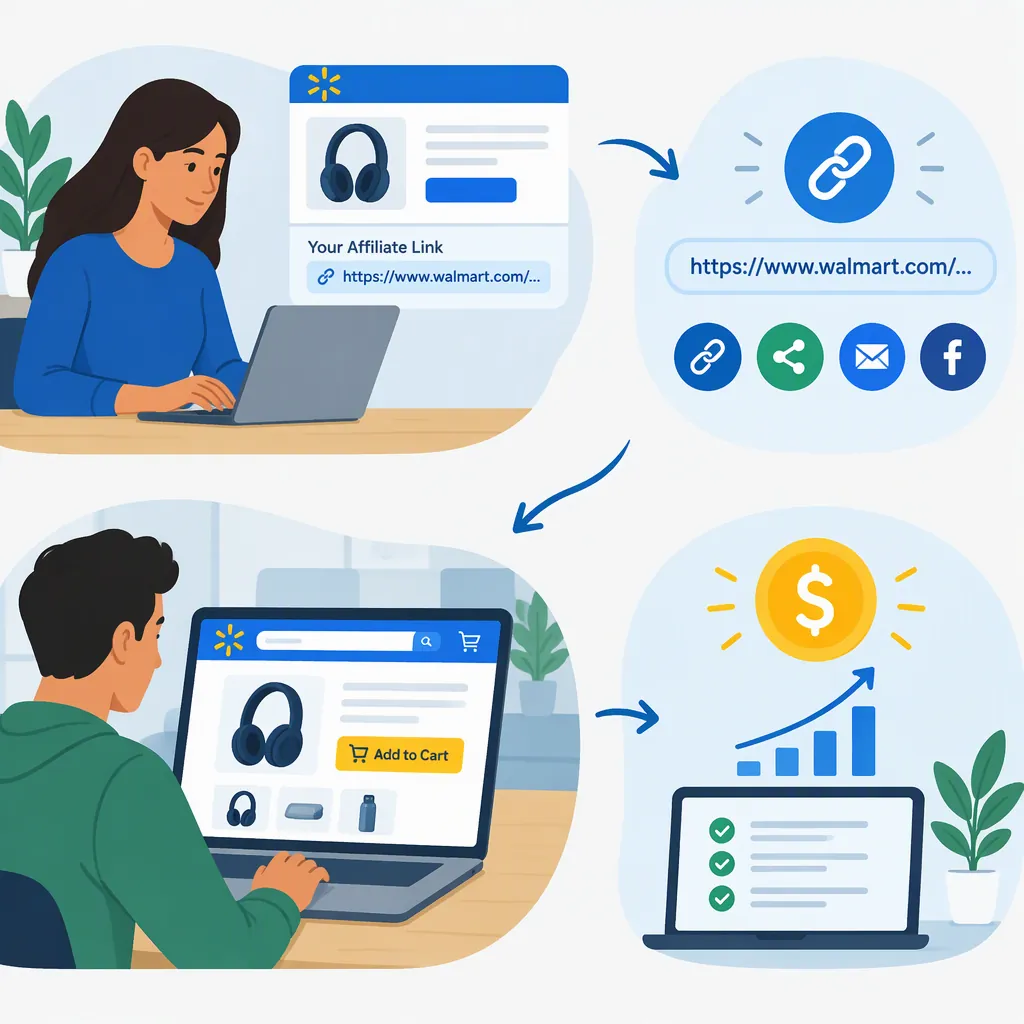
To create a Walmart affiliate link through Cuelinks, enter your Walmart destination URL in the Walmart US campaign’s link generator, select a channel, optionally add a Sub ID, and generate the tracking link once you have the required account access. Then place the generated link in permitted content, add an accurate disclosure, and check that it opens the intended destination. The public campaign page documents the generator’s fields and lists deep linking as available. [cuelinks]
Scope: This guide covers the documented Cuelinks route—not a verified Walmart Creator dashboard walkthrough or instructions for every Walmart affiliate program.
What a Walmart Affiliate Link Does
The Cuelinks campaign describes a purchase-based tracking flow: a reader follows a tracking link to the advertiser’s website and purchases within the applicable cookie period. Its reproduced terms include qualifying-sale conditions such as full payment and delivery. A click alone is not evidence of an earned commission. [cuelinks]
Distinguish between two links:
- Destination URL: The Walmart page you want readers to visit.
- Generated tracking link: The link generator’s output, which you use in your affiliate placement.
The public page provides a dedicated generation form but does not establish a universal tracking-URL format you can safely construct by hand. Do not assume that copying an ordinary Walmart product URL creates an affiliate link. [cuelinks]
Find the Campaign and Confirm Access
Start at the Cuelinks Walmart US campaign page. The public page shows the link-generator fields and a “Join Cuelinks to Generate Link” prompt. Actual generation requires account access; the public evidence does not show the complete authenticated workflow. [cuelinks]
Separate preparation from account-specific checks:
| Prepare using the public page | Confirm through your account route |
|---|---|
| Locate the generator and review its fields | Whether the relevant campaign is available to your account |
| Choose the intended Walmart destination | Whether you have the access needed to generate links |
| Identify your publishing channel and placement | Which current terms and placement restrictions apply |
| Decide whether a placement label would be useful | Whether your intended placement and Sub ID use are permitted |
Do not confuse other Walmart pages with this campaign entry point. The Walmart identity page shows sign-in and account-creation fields, not affiliate approval or link-generation instructions. Signing in is not proof of affiliate approval. [walmart-login] The Walmart page at /c/kp/affiliates displays affiliate-marketing books rather than enrollment instructions. [walmart-books]
Create the Link Through Cuelinks
The campaign page shows Campaign URL, Channel Name, and Add Sub ID fields, and marks deep linking as available. Use the following checklist without assuming that every authenticated dashboard control is documented publicly. [cuelinks]
- Choose the destination. Identify the Walmart page readers should reach. If your content discusses a particular item, check that you have the intended item page.
- Enter the destination URL. Put it in the Campaign URL field.
- Select the channel. Choose the channel associated with your placement. A channel selection does not itself establish permission to publish there.
- Optionally add a Sub ID. If useful and permitted, add a descriptive placement label. Cuelinks describes Sub IDs as parameters that help identify activity when a conversion is recorded. [cuelinks]
- Generate and save the tracking link. With the required account access, use the available generation control. Preserve the output without manually changing its tracking parameters.
- Check navigation. Open the generated link and confirm that it reaches the intended page. A successful page load checks navigation, not commission eligibility. [cuelinks]
Keep a Placement Record
Use one record per placement:
| Field | What to record |
|---|---|
| Campaign and account route | The campaign used to generate the link |
| Terms review | Review date and unresolved permissions |
| Destination | Intended Walmart page |
| Placement | Publishing page and channel |
| Optional Sub ID | Placement label, if used |
| Tracking link | Exact generated output |
| Navigation check | Whether the intended destination opened |
This is an organizational aid, not a guarantee of tracking or payment.
Check Placement Rules Before Publishing
The Cuelinks public page contains unresolved conflicts about permitted media:
- Social media: It marks social media as allowed and mentions organic promotion, but its reproduced prohibitions also restrict qualifying links on social networking sites.
- Email: Its media table disallows email formats, while later explanatory copy suggests email newsletters.
- Other placements: The media table disallows deals, coupons, incentives, and several advertising formats. [cuelinks]
Before publishing in social posts, email, paid ads, coupon content, or incentive-based content, verify the current terms through the account route you actually use. Do not infer permission from one label or a general promotional paragraph. If permission remains unclear, leave the placement unpublished.
For reader transparency, use a nearby plain-language disclosure that truthfully describes your arrangement, and check its wording and placement against applicable requirements. Do not imply that Walmart authored or endorsed your content. The trademark terms reproduced by Cuelinks prohibit implying endorsement beyond program involvement. [cuelinks]
Place the Generated Link in Content
For a webpage placement you have confirmed is permitted, use descriptive link text, the exact generated tracking link, and an accurate nearby disclosure.
Illustrative Markdown only—not a live affiliate link:
This is an affiliate link. I may earn a commission from qualifying purchases made through it.

[View the item discussed above on Walmart](GENERATED_TRACKING_LINK)
Replace GENERATED_TRACKING_LINK with the generator’s actual output. Replace the anchor text with wording that accurately identifies the destination. The placeholder deliberately does not invent a tracking URL.
Use the disclosure only if it accurately describes your arrangement. This example is not a legal-compliance determination.
Before publishing:
- Confirm that the link text and surrounding content match the destination.
- Check that the disclosure is visible near the link.
- Confirm that your publishing tool has not altered the generated URL.
- Resolve the placement-permission questions described above.
After publishing, check the link on the published page to confirm that copying and formatting have not broken navigation.
Review Results and Maintain Links
Cuelinks distinguishes tracking, validation, and payment. Its reproduced fee terms exclude items such as returns and cancellations from the sale-price calculation, so interpret reported activity according to its status rather than treating all activity as paid earnings. [cuelinks]
For ongoing maintenance:
- Keep the generated link and its placement record.
- Review reported activity using the tools available to your account.
- Do not describe clicks or pending transactions as paid earnings.
- Recheck links and factual item details when updating your content.
- Review applicable terms before moving a link to a different channel.
Do not treat a headline payout, cookie duration, or payment estimate on a public listing as a promise for your account. The reproduced terms identify the affiliate portal as the location of the applicable referral fee schedule. [cuelinks]
FAQ
Can I Use a Copied Walmart Product Url as My Affiliate Link?
Do not assume it provides affiliate tracking. The documented Cuelinks route uses a dedicated link generator; use its output rather than inventing tracking parameters. [cuelinks]
Does Signing in to Walmart Mean I Am Approved to Create Affiliate Links?
No approval status is established by the reviewed login page. It shows sign-in and account-creation fields, not affiliate approval or link-generation controls. [walmart-login]
Can I Share Walmart Affiliate Links on Social Media or in Email?
The Cuelinks public listing gives contradictory guidance for both channels. Confirm the current rules for your account before publishing; the listing does not settle permission for every Walmart-related program. [cuelinks]
What Is a Sub Id Used For?
Cuelinks describes a Sub ID as a parameter that helps identify activity when a conversion is recorded. It can help distinguish placements, but it does not establish placement permission or purchase eligibility. [cuelinks]
Does a Working Affiliate Link Guarantee a Commission?
No. A working destination confirms navigation only. The Cuelinks source describes qualifying purchase conditions, validation, and payment as separate parts of the process. [cuelinks]
Sources
-
[walmart-books] Affiliate Books for Marketing Beginners
-
[walmart-login] Login | Walmart
-
[cuelinks] Walmart US Affiliate Program with Payout 6.30% Per Sale | October 2026