Clickbank Affiliate Sign-Up: Steps and Requirements
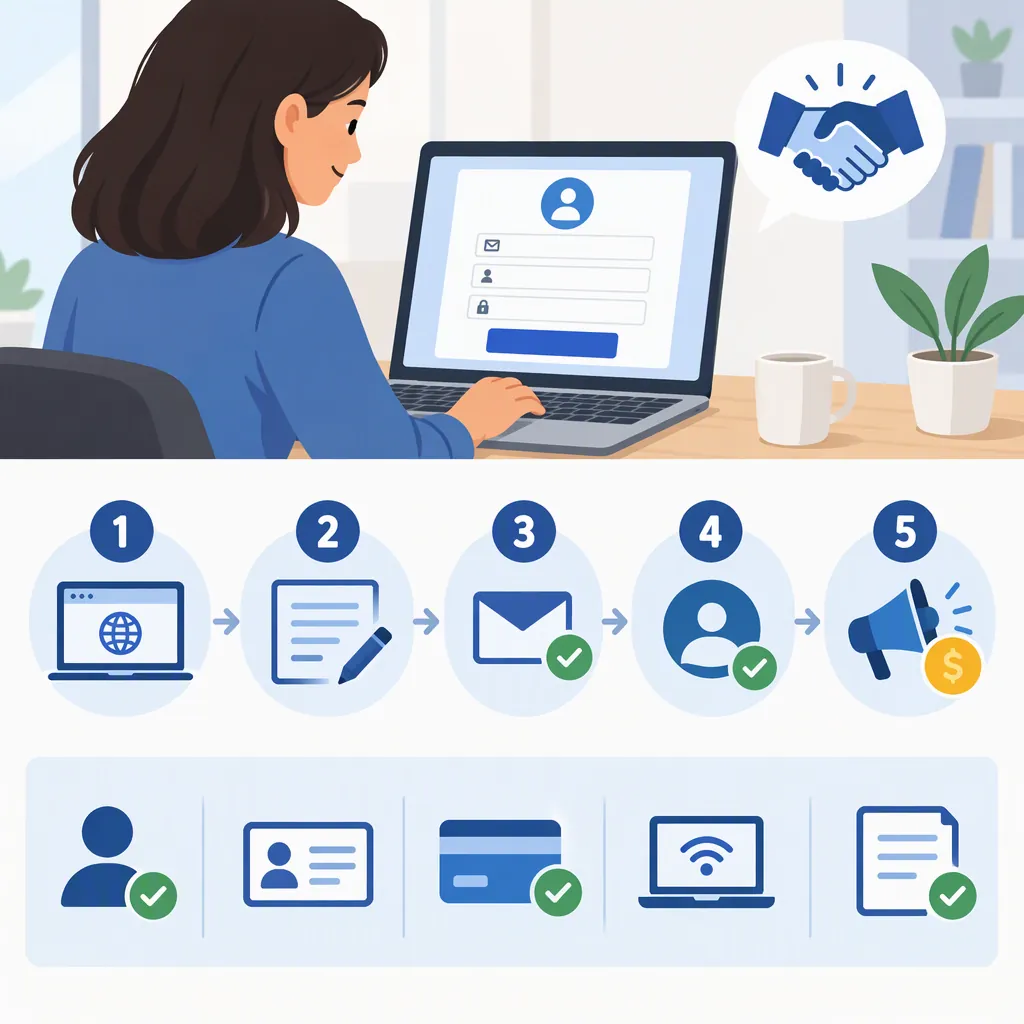
ClickBank affiliate sign-up involves more than creating a login: create a primary account, complete your client profile and verification, create an account nickname with the Affiliate role, and configure payment information. ClickBank describes account registration as free. These steps follow its public signup guide; they do not establish your individual eligibility or guarantee earnings. [cb_signup] [cb_home]
Understand the Account Structure
ClickBank distinguishes between a primary account, which provides a central login, and account nicknames, through which users access account-specific functions. Its support guide says affiliates and sellers begin with the same registration process, then select an account role when creating a nickname. For someone planning only to promote other sellers’ products, the relevant role is Affiliate. [cb_signup]
An affiliate does not need a separate nickname for every seller they promote. ClickBank explicitly says multiple sellers can be promoted through the same nickname. It also warns that spreading activity across multiple accounts can make its payment threshold and customer distribution requirement harder to meet, delaying commission payments. The supplied guide does not explain the full payout rules. [cb_signup]
Create Your Login and Complete Your Profile
The public support guide describes the following sequence. Treat the current form as the authority if its labels or validation requirements differ. [cb_signup]
- Check your browser. ClickBank recommends an up-to-date browser with cookies and JavaScript enabled.
- Enter your registration details. The listed fields are country, first name, last name, phone number, email address, and password.
- Follow the terms acceptance flow. The guide identifies the buttons as “Continue to Terms and Conditions” and “Join ClickBank!” Review the terms before accepting them.
- Complete your client profile. After logging in, use the Profile tab or Complete My Profile button. Enter the required information, including the street address associated with the account payee.
- Save and complete verification. The guide says the system walks users through a verification process after profile completion, but it does not detail every possible verification request. [cb_signup]
The documented password rules require at least two lowercase letters, two uppercase letters, two numbers, and two special characters. Passwords cannot contain spaces or exceed 32 characters. [cb_signup]
For U.S. residents, the guide requires an SSN or EIN matching the payee name. It says these identifiers are required only for U.S. residents and advises non-U.S. residents to provide the tax information required for their country. This is a description of ClickBank’s setup guidance, not individualized tax advice. [cb_signup]
Create an Affiliate Nickname and Set up Payments
After completing the profile, the support guide directs users to read the “Attention ClickBank Sellers and Affiliates” notice and use its “Download Suppression List and Accept” control. It then describes opening Accounts or Create an Account, entering the required information, selecting Affiliate from the Account Type menu, and clicking Sign Up. Read the notice itself for its requirements rather than treating acceptance as a routine checkbox. [cb_signup]
Payment setup is a separate part of registration:
- Open Accounts and select the nickname you created.
- Open Account Settings.
- Confirm your signup email address. The guide specifies doing this on a desktop in the same browser window.
- Find Payment Information, select Edit, and enter the required details.
- Review the available payment method, threshold, and frequency settings, then select Save Changes. [cb_signup]
ClickBank says payment information is necessary to complete signup and receive commissions. Adding it should not be mistaken for immediate payout eligibility: the same guide refers to additional payment conditions without fully explaining them. [cb_signup]
Account Setup Completion Checklist
- [ ] Primary login created.
- [ ] Client profile saved with accurate payee information.
- [ ] Requested verification completed.
- [ ] Seller and affiliate notice reviewed and its required action completed.
- [ ] Account nickname created with the Affiliate role.
- [ ] Signup email confirmed as directed.
- [ ] Payment information saved.
- [ ] Payment settings reviewed.

This checklist summarizes the public support guide; it is not confirmation that ClickBank has accepted an account or authorized a payout. [cb_signup]
Check Eligibility and Separate Signup from Promotion
If your country is missing from the registration form, ClickBank’s guide says you may not be eligible to create an account. Use your actual country rather than choosing another one to bypass the form. For SSN validation issues, the guide recommends checking the number, formatting, and selected country. [cb_signup]
The provided references do not establish a universal approval timeline, a complete country eligibility list, or every possible reason for a registration refusal. They also do not confirm whether a particular applicant or offer needs additional review. Avoid interpreting successful login creation as proof that every setup requirement is complete.
ClickBank’s homepage describes browsing the marketplace and choosing offers in a niche as the stage after account registration. As an educational precaution, evaluate an offer’s terms, promotional restrictions, and evidence for its claims before publishing promotional content. ClickBank’s own footer states that its role as retailer does not constitute endorsement, approval, or review of products or promotional claims. [cb_home]
FAQ
Is Clickbank Affiliate Sign-Up Free?
ClickBank describes account registration as free. Its signup guide separately identifies an activation charge for sellers after their first product is approved; that is not described as an affiliate registration charge. Free registration does not establish that every activity or optional service is free. [cb_home] [cb_signup]
Do I Need a New Account Nickname for Each Seller?
No. ClickBank’s support guide says affiliates can promote multiple sellers through the same account nickname. This does not establish that every offer has identical participation terms. [cb_signup]
Do Non-U.S. Applicants Need a U.S. Ssn?
The guide says an SSN or EIN is required only for U.S. residents. Non-U.S. applicants should select their actual country and follow the tax-information requirements presented for that country. If the country is not listed, ClickBank says the applicant may not be eligible. [cb_signup]
Is Creating a Login Enough to Finish Signup?
No. ClickBank’s guide also requires profile completion, verification, account nickname creation, and payment information. It emphasizes completing all sections accurately. Payment setup alone does not establish that all payout conditions have been met. [cb_signup]